

Types of AI clips for vlogs are the automated video segments generated by artificial intelligence to accelerate editing, detect highlights, and produce stylised visual effects. For artistic and adult-themed creators, these clip categories go far beyond simple trimming. They include auto-chopped highlights, AI avatar segments, cinematic B-roll, animated overlays, and nude art sequences. Tools like OpusClip, Descript, and Runway now make it possible to produce polished, expressive vlog content without a full production team. Understanding which clip type serves which creative purpose is the difference between generic output and work that genuinely lands with a niche audience.
1. What are auto-chopped highlight clips and how do they benefit vloggers?
Auto-chopped highlight clips are short segments extracted from long-form footage by AI that analyses speech emphasis, facial expressions, and engagement cues. This is the most widely used category of AI-generated vlog content, and for good reason. The AI scans your raw footage and surfaces the moments most likely to retain viewers.
OpusClip produces 17 vertical clips from a 30-minute video in roughly four minutes. That speed makes it the go-to for creators who post daily or run multiple channels simultaneously. The trade-off is that the output is rough. Branding, colour grading, and narrative flow still require human attention.
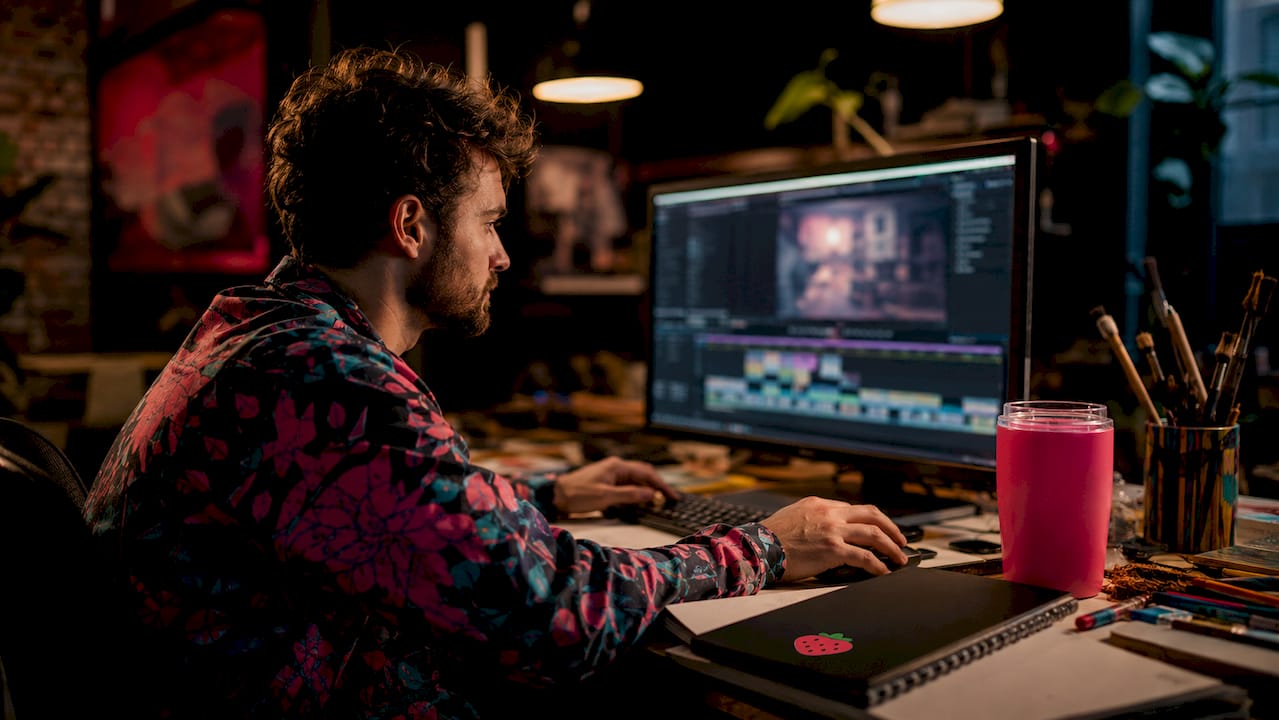
Tools like Autoposting.ai take a similar approach, adding viral moment detection and karaoke-style captions that dominate mobile consumption as of early 2026. Karaoke captions keep viewers watching on muted feeds, which is particularly valuable for adult-themed content where sound may be off by default.
Key benefits for vloggers:
- Rapid extraction of 10–15 clips from a single recording session
- Auto-reframe adjusts framing for vertical formats without manual cropping
- Caption overlays are generated simultaneously, saving a separate editing pass
- Engagement scoring helps prioritise which clips to post first
Pro Tip: Use AI highlight extraction as your rough cut foundation, then spend 10 minutes in DaVinci Resolve refining pacing and adding branded lower thirds. The AI finds the moments; you shape the story.
2. How AI avatar and personalised segment clips enhance adult-themed vlogs
AI avatar clips are short video segments featuring a synthetic or stylised digital persona, generated from a single image or a set of training frames. For adult and artistic vloggers, avatars solve a real problem: they allow creators to maintain a consistent visual identity without appearing on camera for every post.
Descript supports transcript-based editing where you can swap, cut, or replace spoken segments with precision. That level of control matters when you are working with sensitive or adult-themed narratives where a single misplaced cut changes the tone entirely. Personalised AI clips that serve different intros and calls to action per viewer type measurably improve engagement. New viewers get a context-setting intro; returning subscribers get a direct continuation.
Holywater, the mobile content studio, uses automated rough cuts via ASR and scene detection, then applies AI-driven reframe and stabilisation for vertical short-form episodes. Their use of micro-cliffhangers within personalised segments keeps retention high across adult entertainment formats. That workflow is directly replicable for independent vloggers.
Practical uses of avatar and personalised clips:
- Dynamic intros that change based on traffic source or viewer history
- AI-generated presenter clips for creators who prefer anonymity
- Fantasy character segments built from original AI art or licensed imagery
- Consent-verified adult persona clips for subscription-based platforms
3. The rise of cinematic AI-generated B-roll and stylised animated overlays
Cinematic AI B-roll refers to generative video footage produced by AI to fill visual gaps, establish atmosphere, or support a narrative without the creator filming additional material. For artistic vlogs, this is one of the most creatively significant clip types available in 2026.
Runway generates high-quality generative video from text prompts or reference images. A nude art vlogger, for example, can produce atmospheric background footage of a studio, draped fabric, or abstract light play without a camera crew. The result sits behind the main talking-head footage and lifts the production value considerably.
Open-source AI pipelines combining face-tracking, B-roll generation, and kinetic typography modules give creators precise artistic control that one-click tools cannot match. This modular approach is particularly suited to adult and stylised art vlogging because it avoids the sanitisation that generic auto-clipping tools apply by default.
Kinetic typography overlays, where words animate in sync with speech, add a further layer of visual interest. These work especially well in artistic vlogs where the spoken word carries as much weight as the image.
| Overlay type | Best use case | Recommended tool |
|---|---|---|
| Kinetic subtitles | Spoken word or poetic narration | Descript, CapCut |
| Generative B-roll | Atmospheric scene-setting | Runway |
| Animated art overlays | Fantasy or nude art sequences | Squish, open-source pipelines |
| Transition effects | Scene changes in long-form vlogs | DaVinci Resolve with AI plugins |
Pro Tip: Render your AI B-roll at a slightly lower opacity and blend it behind your main footage in Premiere Pro. This creates depth without the generative footage competing with your primary subject.
4. Aspect ratio and format considerations for AI clips across social platforms
Experts recommend producing AI clips in four key aspect ratios for maximum cross-platform reach in 2026: 9:16, 4:5, 1:1, and 16:9. Each ratio serves a different platform and viewer context. Tools that batch-output all four outperform those that only export 9:16.
The 4:5 ratio is the preferred format on Instagram for feed posts because it occupies more vertical screen space than 1:1 without triggering the full vertical video interface. For adult art creators building an Instagram presence, 4:5 is the single highest-leverage format choice available.
| Aspect ratio | Primary platform | Notes |
|---|---|---|
| 9:16 | TikTok, Reels, YouTube Shorts | Standard vertical; highest reach for short-form |
| 4:5 | Instagram feed | More screen space than 1:1; avoids vertical video UI |
| 1:1 | LinkedIn, X (Twitter) | Safe crop for mixed-format audiences |
| 16:9 | YouTube, desktop web | Standard widescreen for long-form content |
Auto-reframe tools built into OpusClip and similar platforms handle the conversion automatically. The practical implication is that a single 30-minute recording can become platform-ready clips across all four ratios in one processing pass. For adult creators distributing across multiple platforms, this removes a significant manual bottleneck.
Word-by-word captions and dynamic reframe also enable short clips to retain accessibility and engagement across platforms. This is particularly relevant for adult content distribution, where platform algorithms often deprioritise content that lacks captions.
5. Choosing the best AI clip tools for vloggers: artistic and adult creators
The best AI clip tools for vloggers working in artistic or adult-themed niches are not necessarily the most popular ones. The right tool depends on whether you need speed, precision, or creative latitude.
AI tools tuned for solo talking-head content often struggle with multi-speaker footage and narrative complexity. Adult artistic storytelling frequently involves layered dialogue, ambient sound design, or non-linear structure. Descript handles this better than most because it works from a transcript, giving you word-level editing control rather than relying on scene detection alone.
| Tool | Strength | Limitation | Best for |
|---|---|---|---|
| OpusClip | Speed; 17 clips in 4 minutes | Rough output; limited branding | Rapid content repurposing |
| Descript | Transcript-based precision | Steeper learning curve | Multi-speaker or narrative vlogs |
| Runway | Generative B-roll quality | Cost at scale | Cinematic artistic content |
| Autoposting.ai | Viral detection and captions | Less control over clip selection | Social-first creators |
| Squish | Image-to-video; nude art support | Short-form focus | Adult art and avatar clips |
The best workflow uses AI rough cuts then manual edits in Premiere Pro or DaVinci Resolve for artistic polish. This is not a limitation of the technology. It is the correct way to use it. AI handles the labour-intensive extraction; you apply the creative judgement.
Key considerations when choosing your tool stack:
- Does the tool support your content category without applying content filters?
- Can it output multiple aspect ratios in a single pass?
- Does it integrate with your existing editing software?
- What is the cost per clip at your posting frequency?
Pro Tip: Avoid stacking four or five AI tools in your pipeline. One strong rough-cut tool plus a professional editor is more efficient and produces better results than a chain of automated steps that each introduce small errors.
6. How mobile AI tools help vloggers publish faster
Mobile AI tools have removed the desktop editing requirement for a large portion of the vlogging workflow. For adult and artistic creators who shoot on a phone, the ability to process, caption, and reformat clips on the same device is a genuine production advantage.
Holywater’s mobile-first approach demonstrates this clearly. Their pipeline uses ASR for automated transcription, scene detection for rough cuts, and AI stabilisation for vertical formats, all without a desktop editing suite. The result is short-form episodes ready for distribution within minutes of filming.
Personalised photo experiences that use AI to tailor content per viewer show the same principle at work. When a vlogger serves a different intro to a first-time viewer versus a subscriber, retention improves because the content feels directly relevant. Mobile AI tools now make this level of personalisation accessible without a development team.
Squish operates entirely on a mobile-first model. Upload an image, an AI character, or a consenting adult photo, and the platform generates a short animated clip ready for social sharing. For nude art and fantasy character vloggers, this removes the need for any video production infrastructure at all.
Key takeaways
The most effective approach to AI clip creation for artistic and adult-themed vlogs combines automated extraction with deliberate human refinement at every stage.
| Point | Details |
|---|---|
| Use AI as a rough cut tool | Let OpusClip or Autoposting.ai extract highlights, then refine in DaVinci Resolve or Premiere Pro. |
| Prioritise the 4:5 ratio on Instagram | It occupies more feed space than 1:1 and avoids triggering the vertical video interface. |
| Choose tools that support your content category | Generic tools apply content filters; Descript and Squish offer more control for adult and artistic creators. |
| Batch-output all four aspect ratios | Tools that produce 9:16, 4:5, 1:1, and 16:9 simultaneously save significant post-production time. |
| Modular pipelines beat one-click tools for nuanced content | Open-source pipelines give artistic and adult creators precise control over visual effects and tone. |
What I have actually learned from working with AI clip tools
The conversation around AI video editing tends to flatten into two camps: people who think AI replaces editors, and people who think it is overhyped. Both are wrong in interesting ways.
The tools that genuinely move the needle for artistic and adult creators are not the flashiest ones. OpusClip is fast, but its output looks like a demo reel until a human touches it. Runway produces stunning generative footage, but prompt engineering for a specific aesthetic takes real skill and iteration. The gap between what AI produces and what a discerning audience will actually watch is still significant, and that gap is where your creative value lives.
What I find most underused is the modular pipeline approach. Most creators grab one tool and expect it to do everything. The creators producing the most distinctive work are combining a transcript editor like Descript for precision cuts, a generative tool like Runway for atmosphere, and a platform like Squish for image-to-video effects that no standard editing suite offers. Each tool does one thing well. Together they produce something that feels genuinely authored rather than automated.
For adult and nude art vloggers specifically, the content filter problem is real and frustrating. Most mainstream AI clip tools will quietly sanitise or reject content that falls outside their training parameters. The answer is not to fight the tool. It is to use platforms built for that category from the ground up, and to keep your generative and editing workflows separate so a single tool’s restrictions do not bottleneck your entire pipeline.
The honest truth is that AI clips are not a shortcut to quality. They are a shortcut to volume. Quality still requires a human who knows what they are making and why.
— Jason
Make your own AI clips with Squish
Squish is a free-to-start AI video platform built for creators who want to make images move without a production setup. Upload a selfie, an AI-generated character, a fantasy avatar, or a consenting adult image and turn it into a short animated clip ready for social sharing.
For nude art and adult-themed vloggers, Squish offers a consent-first environment where your original images and AI art are treated as creative assets, not flagged content. Explore free adult AI video tools, build an AI video art portfolio, or experiment with image-to-video effects that bring your characters and artwork to life. No editing skills required.
FAQ
What are the main types of AI clips used in vlogs?
The main types are auto-chopped highlight clips, AI avatar segments, cinematic generative B-roll, stylised animated overlays, and personalised intro clips. Each serves a distinct function within the vlogging workflow.
Which AI clip tool is best for adult and artistic vloggers?
Descript offers the most precision for narrative and multi-speaker content, while Squish is purpose-built for image-to-video and adult art clip creation. The right choice depends on whether you need editing control or generative output.
What aspect ratio should I use for AI clips on Instagram?
The 4:5 aspect ratio is the preferred format for Instagram feed posts. It occupies more vertical screen space than 1:1 without triggering the full vertical video interface.
Do AI clip tools work for nude art and adult-themed content?
Most mainstream tools apply content filters that restrict adult material. Platforms built specifically for adult creative content, such as Squish, handle this category without the sanitisation common in generic auto-clipping tools.
Can I use AI clips without any video editing experience?
Yes. Tools like OpusClip and Squish are designed for creators without editing skills. For the best results, a basic manual refinement pass in a tool like DaVinci Resolve will significantly improve the final output.
Leave a Reply