fb

Blog

  • What is sound-responsive AI art? a creator’s guide

    What is sound-responsive AI art? a creator’s guide

    Sound-responsive AI art is defined as AI-driven visual output that evolves in real time by analysing audio input, producing imagery that reacts to rhythm, frequency, and mood rather than following pre-scripted animations. This field sits at the intersection of creative coding, machine learning, and interactive sound art, and it is growing fast among artists, technologists, and digital creators. Tools like p5.js, neural cellular automata, and the Web Audio API now make this kind of work accessible without a research lab. Whether you are building live performance visuals, AI-generated nude art that pulses with music, or ambient interactive installations, understanding the technical and creative foundations here changes what you can make.

    What is sound-responsive AI art and how is it defined?

    Sound-responsive AI art is a form of interactive sound art where artificial intelligence analyses audio signals and generates or modifies visuals in real time. The industry term for the broader category is audio-reactive art, but sound-responsive AI art specifically involves machine learning models, not just rule-based triggers. The visuals do not simply flash on a beat. They breathe, morph, and adapt to the full character of the sound.

    The core distinction matters for creators. Traditional audio-visual tools map a beat to a flash or a volume spike to a colour change. Sound-responsive AI art uses neural cellular automata to generate self-organising visuals that respond to rhythm, intensity, and musical structure simultaneously. The result feels organic rather than mechanical.

    This approach is now appearing in live music performances, gallery installations, AI-generated nude art platforms, and browser-based creative tools. Artists like Perceptrum and designer Yuri Suzuki have pushed the concept into physical space, turning sound into shared sculptural experiences. The technology is no longer experimental. It is a practical creative medium.
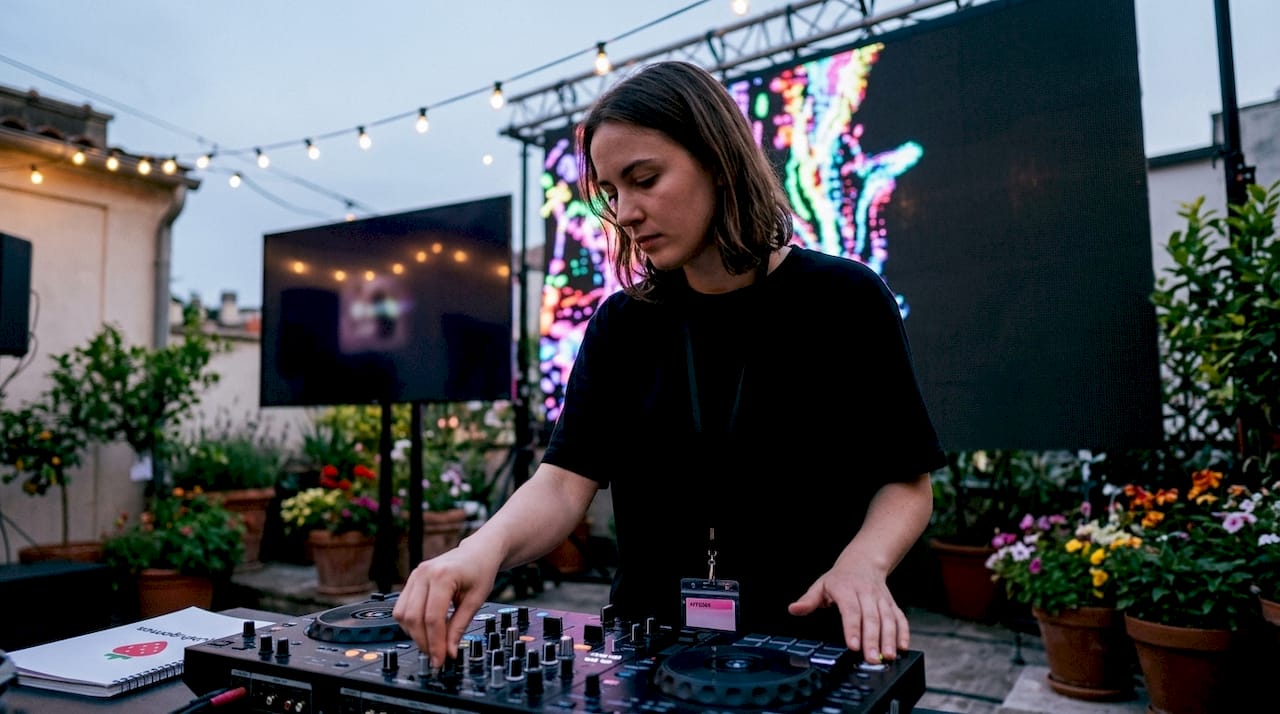
    DJ adjusting mixer with AI visuals in gallery

    How does sound-responsive AI art work technically?

    The foundation of any sound-responsive visual system is audio frequency analysis. Fast Fourier Transform (FFT) analysis splits a complex audio signal into its component frequency bands, giving the system a real-time map of what the sound contains at any given moment. Sub-bass frequencies might control the scale of a visual element, treble frequencies modulate colour brightness, and mid-range bands drive motion shifts or pulse effects.

    Here is how the core technical pipeline typically works:

    • Audio input capture: The Web Audio API or a similar library captures live or pre-recorded sound in the browser or application environment.
    • FFT decomposition: The audio stream is split into frequency bands, each carrying a different visual instruction.
    • Parameter mapping: Specific bands are assigned to visual variables such as scale, opacity, colour temperature, or motion speed.
    • Visual generation: A neural model or generative framework (commonly p5.js) renders the output frame by frame, updating continuously as the audio changes.
    • Onset detection: Signal processing identifies the precise moment a new sound event begins, preventing false triggers from sustained chords or vocal harmonics.

    Onset detection is particularly important. Precise gating on narrow frequency bands prevents a kick drum detection system from firing incorrectly when a vocalist hits a similar frequency. Without it, visuals become jittery and unintentional, which destroys the immersive quality the medium depends on.

    Pro Tip: When building your first sound-responsive project in p5.js, start by isolating just the sub-bass band and mapping it to a single visual parameter. Master one clean connection before layering complexity.
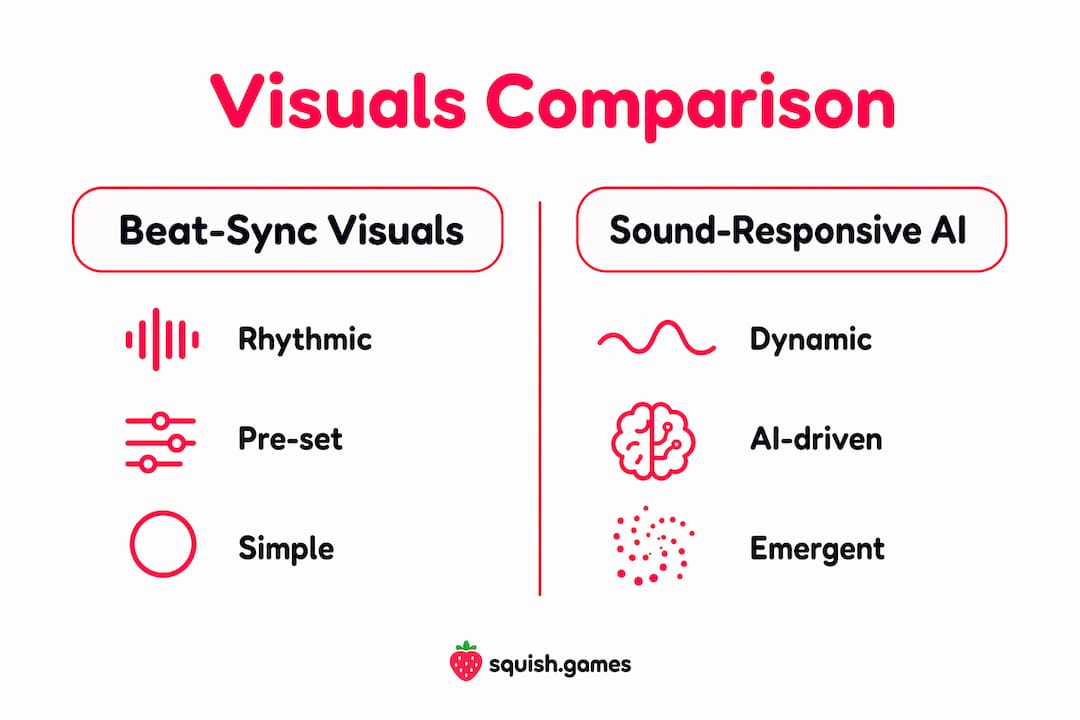
    Infographic comparing beat-sync visuals vs sound-responsive AI art

    Neural cellular automata add another dimension entirely. Rather than rendering static shapes that react to sound, these models generate evolving cellular structures where each cellโ€™s state is influenced by its neighbours and by the incoming audio data. The visual output grows and decays like a living organism responding to its environment.

    What creative possibilities does sound-responsive AI art enable?

    The most significant creative shift this technology produces is the move from scripted animation to emergent behaviour. A traditional music video is authored frame by frame. A sound-responsive AI artwork is seeded and then allowed to grow. The artist sets the conditions; the AI and the audio determine the outcome.

    This opens genuinely new territory for nude AI art and figure-based generative work. An AI-generated nude figure that subtly shifts posture, skin texture, or ambient lighting in response to a musical score creates an experience that no static image or pre-rendered video can replicate. The responsiveness makes the work feel alive, present, and intimate in a way that resonates with audiences accustomed to passive media.

    Artist collective Perceptrum has explored this territory through what they call sonic memory, where the artwork retains traces of past audio interactions and allows them to influence future visual responses. A canvas that has been played a particular piece of music will respond differently to that same music the second time. The work accumulates experience.

    โ€œThe canvas begins to listen. It does not simply react. It remembers.โ€ โ€” Perceptrum, on augmented painting and sonic memory

    Yuri Suzukiโ€™s sound sculptures take the concept into physical space, functioning as what he describes as social architecture. Audiences do not watch the work. They participate in it, and their collective sound input shapes the shared visual environment. This transforms the artwork from object to event.

    Reinforcement learning adds yet another layer. Systems built with RL can evolve soundscapes in real time based on listener feedback and environmental conditions, creating auditory environments that differ on every playthrough. Pair that with a generative visual layer and you have artwork that is genuinely unrepeatable.

    How does sound-responsive AI art differ from beat-sync visuals?

    The difference between beat-sync visuals and sound-responsive AI art is the difference between a metronome and a conversation. Beat-sync locks visual events to rhythmic markers. Sound-responsive AI art reads mood, texture, waveform character, and frequency content simultaneously.

    Feature Beat-Sync Visuals Sound-Responsive AI Art
    Trigger mechanism Rhythmic beat detection FFT frequency analysis across bands
    Visual output Pre-set animations firing on cue Emergent, self-organising imagery
    Mood responsiveness None Full: texture, intensity, and tone
    Repeatability Identical on each playback Unique on each playback
    AI involvement None or minimal Neural models central to output

    Audio-reactive visuals focus on mood and texture with waveform-driven motion, producing ambient, fluid results that resemble living textures rather than static music videos. That quality is what makes the medium compelling for immersive nude art, gallery installations, and live performance contexts where a mechanical flash-on-beat response would feel cheap.

    Professional systems often layer multiple AI models. A base image or figure is generated first by one model, then a secondary audio-reactive layer applies motion, colour shifts, and texture modulation in response to the live audio. This two-stage approach produces visual richness that a single-model system cannot match.

    Pro Tip: For nude AI art projects, generate your base figure with a high-resolution image model first, then apply a separate audio-reactive layer for motion and ambient effects. Separating the two stages gives you far more control over both the aesthetic and the responsiveness.

    What tools and workflows should artists use?

    Building sound-responsive AI art does not require a computer science degree. The following workflow covers the practical path from audio input to finished visual output.

    1. Set up p5.js with the p5.sound library. This gives you FFT analysis, amplitude detection, and real-time audio visualisation in a browser environment with minimal setup.
    2. Connect the Web Audio API. Use it to capture microphone input or stream audio from a file, feeding the signal into your FFT analyser.
    3. Map frequency bands to visual parameters. Assign sub-bass to scale, mid-range to rotation or position, and treble to colour brightness or opacity. Start with three bands maximum.
    4. Add onset detection. Use a threshold on a narrow frequency band (for example, 60โ€“80 Hz for kick drums) to trigger discrete visual events without false positives.
    5. Layer an AI image generator. Tools like Stable Diffusion or a browser-based AI art platform can generate base imagery. Feed that imagery into your p5.js sketch as a texture or background layer.
    6. Integrate neural cellular automata. Libraries and open-source implementations are available on GitHub. Seed the automaton with your AI-generated base image and let the audio data drive the growth parameters.
    7. Test with varied audio. Run your system through ambient music, spoken word, and high-energy electronic tracks. Each will expose different weaknesses in your parameter mapping.

    The Neon Creatures project by Robotic Ape is a strong reference point. It uses p5.js with FFT analysis to drive organic creature-like visuals that pulse and shift with ambient music. The Swarmphony project on GitHub demonstrates murmuration-style visual systems driven by audio onset detection. Both are open-source and worth studying directly.

    For artists working with AI-generated nude art, the same pipeline applies. Generate your figure, apply audio-reactive modulation to lighting and motion parameters, and use onset detection to keep the response clean and intentional. The AI video generation tools available on platforms like Squish can accelerate the base-layer creation significantly.

    Pro Tip: Explore unique live music experiences that already incorporate real-time AI reactive visuals. Attending or studying these events gives you a practical benchmark for what polished sound-responsive work looks and feels like.

    Key takeaways

    Sound-responsive AI art produces genuinely unrepeatable visual experiences because it reads audio as a living signal, not a simple trigger.

    Point Details
    Core definition AI analyses audio in real time and generates visuals that respond to frequency, mood, and rhythm simultaneously.
    Foundational tool FFT analysis splits audio into frequency bands, each mapped to a specific visual parameter like scale or colour.
    Key differentiator Unlike beat-sync visuals, AI-driven audio-reactive art produces emergent, organic output that changes on every playback.
    Artistic depth Concepts like sonic memory (Perceptrum) and social architecture (Yuri Suzuki) show the mediumโ€™s capacity for genuine artistic complexity.
    Practical entry point p5.js with the Web Audio API and onset detection is the most accessible starting stack for new creators.

    Where i think this medium is actually heading

    The conversation around sound-responsive AI art tends to focus on the technology. I find that slightly misses the point. The more interesting question is what it does to the relationship between creator and audience.

    When I look at work like Perceptrumโ€™s augmented paintings or Yuri Suzukiโ€™s sculptures, what strikes me is that the artist is no longer the sole author of the experience. The audienceโ€™s presence, the specific audio in the room, the accumulated history of interactions: all of these become co-authors. That is a genuinely different model of authorship, and most artists have not fully reckoned with what it means for their practice.

    For nude AI art specifically, I think the sound-responsive dimension adds something that static or pre-rendered work cannot. Responsiveness implies presence. An AI-generated figure that shifts and breathes with music feels inhabited in a way that a still image does not. That quality will matter more as audiences become saturated with static AI-generated imagery and start demanding work that feels alive.

    The challenge I see most creators struggle with is the temptation to over-map. Every frequency band driving a different parameter produces chaos, not art. The most effective sound-responsive work I have encountered uses restraint. Two or three clean connections between audio and visual, executed with precision, produce more impact than a dozen noisy mappings.

    The future I find most compelling is adaptive work with genuine sonic memory: systems that learn from repeated exposure to a piece of music and develop a visual vocabulary specific to that sound. We are not far from that. The tools exist. The artists who will do it best are the ones building now.

    โ€” Jason

    Try sound-responsive AI art creation on Squish

    If you are ready to move from theory to practice, Squish is built for exactly this kind of creative experimentation.
    https://squish.games

    Squish is a free-to-start AI video and interactive art platform where you can upload any image, including AI-generated figures, nude art, avatars, or fantasy characters, and turn it into a moving, animated video. The platform handles the technical heavy lifting, so you can focus on the creative side. For artists exploring sound-responsive and audio-reactive visual work, Squish provides a fast way to generate the base-layer imagery and short video clips that feed into more complex interactive systems. No editing skills required. Start free, create immediately, and share your work with a community that appreciates AI art in all its forms.

    FAQ

    What is sound-responsive AI art in simple terms?

    Sound-responsive AI art is AI-generated visual output that changes in real time based on audio input, responding to elements like frequency, rhythm, and mood rather than following a fixed animation.

    How does AI art respond to sound technically?

    The system uses Fast Fourier Transform (FFT) analysis to split audio into frequency bands, then maps each band to a visual parameter such as scale, colour, or motion, updating the output continuously as the sound changes.

    What is the difference between audio-reactive and beat-sync visuals?

    Beat-sync visuals fire pre-set animations on rhythmic cues. Audio-reactive AI art reads the full character of the sound, including waveform texture and mood, producing fluid, emergent visuals that differ on every playback.

    Can sound-responsive AI art be used for nude art projects?

    Yes. AI-generated nude art can incorporate audio-reactive layers that modulate lighting, motion, and texture in response to music, creating figure-based work that feels dynamic and present rather than static.

    What is the best tool for beginners making sound-responsive AI art?

    p5.js with the p5.sound library and the Web Audio API is the most accessible starting point, offering real-time FFT analysis and visual mapping in a browser environment with a large community and open-source examples to learn from.

  • Sora AI Video Generator Alternative for Fast Photo Effects

    Looking for a Sora AI video generator alternative for quick photo effects? Squish Games makes images move with fun AI videos and interactive art.

    Sora AI Video Generator Alternative for Fast Photo Effects

    Many people search for Sora AI video generator alternatives because they want to create AI videos quickly. Some want cinematic scenes. Others just want to make one photo move, bounce, dance, or turn into a fun social clip.

    If your goal is fast image-first entertainment, Squish Games is worth trying.

    Squish is not trying to be Sora

    Sora-style tools are usually associated with broad AI video generation and cinematic prompts. Squish is different. It focuses on playful uploads and simple effects.

    Squish is for people who want to:

    • Upload one image
    • Make the image move
    • Create a short AI clip
    • Try bouncing or jiggly effects
    • Share the result
    • Make fun social content fast

    That makes Squish less like a film studio and more like an AI playground.

    When Squish is the better fit

    Squish may be a better fit when you do not need a long cinematic scene. It is especially useful for:

    • Making a photo move
    • Creating a funny clip from a pet image
    • Animating an avatar
    • Creating a fantasy character video
    • Making quick creator content
    • Turning AI art into video
    • Making interactive jiggly art
    • Creating mobile-first social clips

    If you want speed, simplicity, and fun, start with Squish Games.

    Why people want alternatives

    People search for AI video alternatives because different tools serve different needs. Some tools are powerful but complex. Some are expensive. Some are invite-only or limited. Some do not support the style of content a creator wants.

    Squish focuses on accessibility and playful creative output.

    Safe use matters

    Use images you own, created, licensed, or have permission to animate. Squish can support fantasy, glamour, avatar, and consenting adult creative use, but it is not for exploiting real people or making non-consensual intimate content.

    Try Squish

    If you are searching for a Sora AI video generator alternative because you want a simple way to make photos move, try Squish Games. It is free to start and built for fast AI entertainment.

  • Top 4 Pixverse.ai Alternatives for 2026

    Top 4 Pixverse.ai Alternatives for 2026

    Managing high quality, consent based AI nude art animation while avoiding restrictive moderation is inconsistent and awkward across current tools. Many platforms impose blanket bans on NSFW or nude material, or require subscriptions before enabling premium features. This comparison covers policy transparency, pricing, content ownership, and model scope so you can select an AI animation platform that matches your creative practice and audience.

    Table of Contents

    Squish Games

    https://squish.games

    At a Glance

    Supports adult and nude content through consent based uploads. Squish Games lets members turn selfies, AI images, avatars, pets, or fantasy characters into short playful videos and interactive images. The platform is mobile first and built for quick iteration and social sharing. That combination makes it easy to prototype AI art and share clips with a community.

    Core Features

    • Create AI videos from images: Upload a photo or an AI image and animate it into a short clip suitable for social feeds.
    • Interactive art effects: Apply bouncing, jiggling, dancing, and other playful animations to still images.
    • Customisable effects: Tweak motion and timing to get the exact look you want for a clip or post.
    • Supports adult and nude content: Members may upload consenting, creator owned adult material for animation and sharing.
    • Mobile first workflow: Designed for on the move creation and quick social publishing.

    Key Differentiator

    Squish Games centres consent in its content model while supporting adult themed AI art. The platform explicitly permits consenting, creator owned uploads and frames moderation around that rule. That focus lets adult artists and model collaborators experiment without sending content to generalised moderation filters. The mobile first design complements the consent policy by making safe sharing fast and immediate.

    Pros

    • Easy to start with no editing skills required. Members can create a shareable clip in minutes without learning a timeline or keyframes.

    • Mobile friendly and fast for social clips. The workflow matches how creators capture, edit, and post on phones.

    • Supports a wide range of creative and adult content. Artists can animate AI generated characters, avatars, pets, or consenting nude images under the platform rules.

    • Engages the community through sharing and collaboration. Members can show short animations, get feedback, and iterate on ideas.

    • Offers free initial access with optional paid upgrades. You can try core features for free and buy coins for advanced tools when you need them.

    Cons

    • Advanced tools and premium features require coins or paid upgrades, which fragments access between casual members and frequent creators.

    Who Itโ€™s For

    This suits digital artists, adult and artistic creators, meme makers, and social media influencers who want quick animated clips rather than full length edits. It also fits experimental AI artists who value consent and creator ownership for adult themed work. Members who prioritise fast prototyping on mobile will get the most value.

    Unique Value Proposition

    Free to start access with pay as you go coins makes rapid testing low risk for members. That pricing model lets creators try new effects and post short clips without a subscription commitment. Combined with community sharing and in app collaboration, the model shortens the time from idea to audience reaction.

    Real World Use Case

    A digital artist uploads a set of AI generated nude figures that they own and animates each into a 6 second dance clip. They adjust jiggling and timing on a phone, publish to the community, and use member feedback to refine the next set. The artist builds a short portfolio of playful clips that demonstrate style and consent centred practice.

    Website: https://squish.games

    BasedLabs

    https://basedlabs.ai

    At a Glance

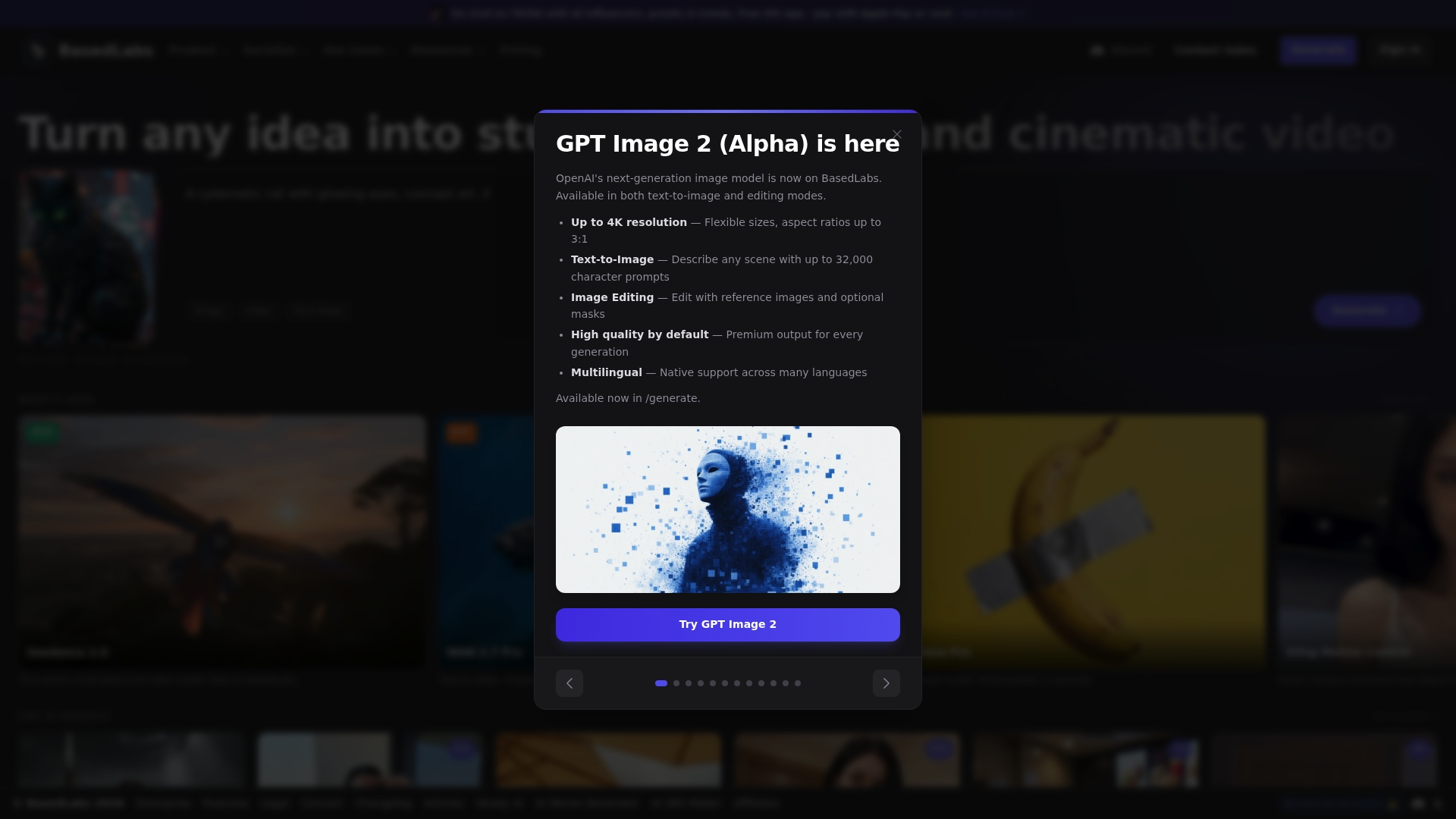
    Free credits that require no signup and export with no watermarks are the standout detail here. BasedLabs reports access to 50+ AI models for image and video work. The site also advertises high resolution outputs and a mix of text to image and text to video tools. That mix makes it quick to prototype social posts or short clips without an initial account.

    Core Features

    BasedLabs centres on model variety and export freedom. The editorial pages and use cases show image, video and social media workflows side by side. The site also highlights multilingual support and stock media workflows for marketing teams.

    • Access to 50+ AI models covering image and video generation and editing.
    • Free credits available with no signup and no watermark on results.
    • Advanced video and image editing tools for tweaking outputs after generation.
    • Text to image and text to video generation options for rapid content tests.
    • Models tuned for social content, digital twins and stock media creation.

    Key Differentiator

    BasedLabs leans on model breadth and a credit based purchase model. The platform emphasises pay as you go credits and selectable models for specific tasks. That focus suits people who want model choice and high resolution exports without committing to a subscription.

    Pros

    • Diverse model selection. The available models span still images, short video and editing tools, so you can try different creative approaches without switching sites.
    • No signup barrier for free credits. That lowers the friction for quick tests and for creators who dislike account setup before experimentation.
    • Outputs without watermarks. This helps when you want ready to post images or clips for social channels.
    • Suitable for professional outputs. The site advertises high resolution exports and multilingual output, which matter for marketing and creator work.
    • Flexible purchase model. Pay as you go credits let small teams purchase only what they need.

    Cons

    • Site maintenance can limit access. The vendor lists maintenance as an active issue that may restrict features temporarily.
    • Support details are sparse. The available content offers limited information about technical support or enterprise services.
    • Cost for large volumes. Some models may become expensive if you produce high volume content with heavy compute needs.

    When It May Not Fit

    If you need guaranteed uptime and dedicated enterprise support, this site may fall short. Teams that require predictable monthly billing and account management will find the credit model awkward. Large scale production where per item cost matters may push you toward an alternative with committed pricing.

    Who Itโ€™s For

    Digital content creators, social media marketers and small creative teams will get the most value. The site suits people who prioritise quick experimentation and model choice over long term account management. It also fits anyone who needs watermark free, high resolution assets for campaigns.

    Real World Use Case

    A marketing team uses BasedLabs to produce thumbnail sets and short promotional clips for a campaign. They test several models on the same brief using free credits, pick the best outputs and buy extra credits for final renders. That process reduced their dependency on external shoots and lowered turnaround time for social ads.

    Website: https://basedlabs.ai

    Runway ML

    https://runwayml.com

    At a Glance

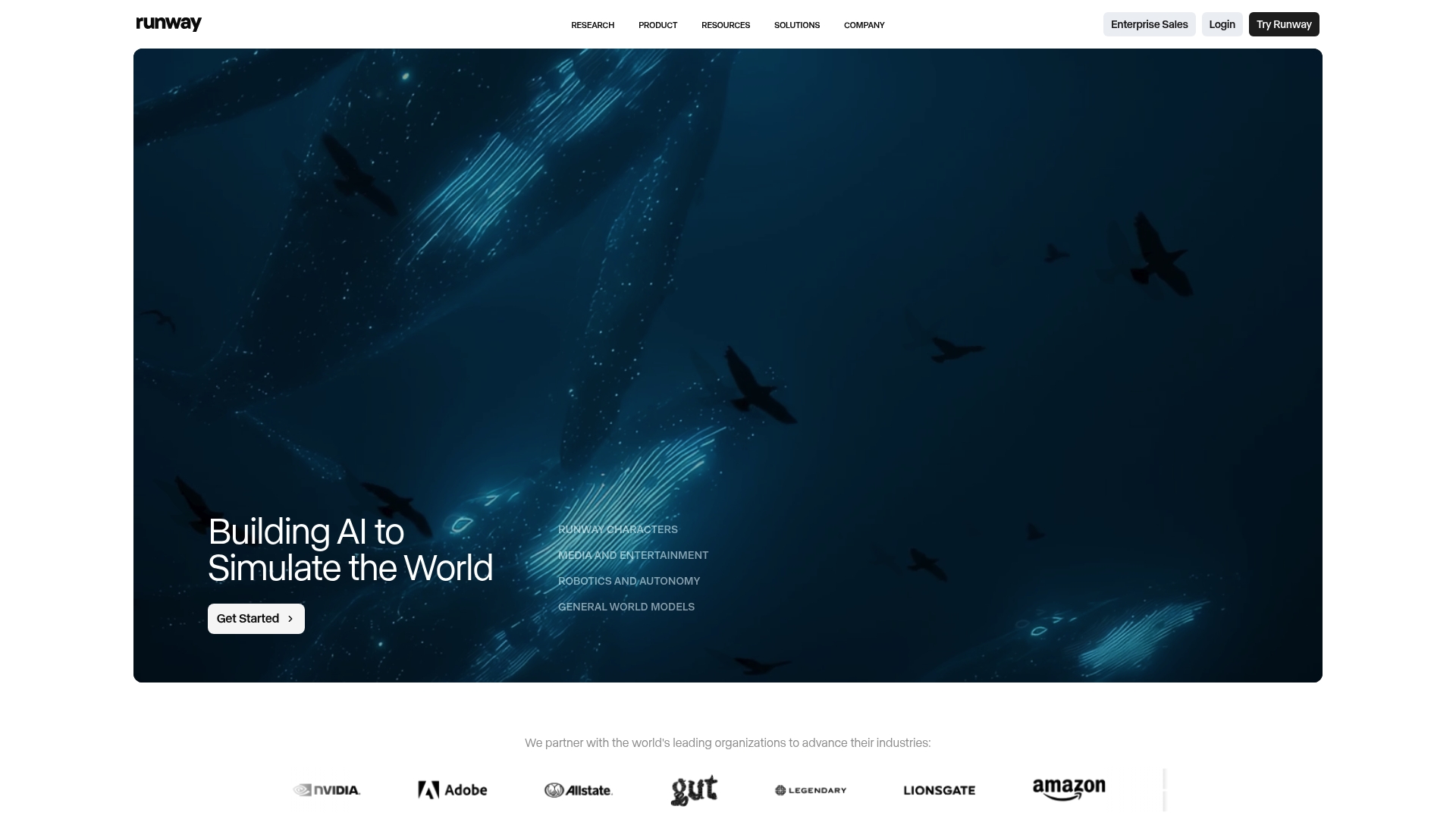
    Gen-4.5 and Seedance 2.0 are listed as the models behind many of Runway MLโ€™s highest fidelity outputs. The platform also offers real time AI video agents for interactive scenes and live actions. That combination aims to shorten production time for complex video effects.

    Core Features

    • Gen-4.5 and Seedance 2.0 for image and video generation, tuned for photoreal and stylised outputs.
    • Tools for editing and transforming content with simple prompts, including background removal and style transfer.
    • Real time AI video agents that handle conversational and live action tasks during a shoot or demo.
    • Custom workflows that chain multiple models, letting you combine generation, editing, and rendering steps.
    • Pre built apps for common tasks such as scene editing, background replacement, and quick compositing.

    Key Differentiator

    Runway ML pairs high fidelity generative models with live interactive agents in the same environment. That makes it practical to prototype scenes and iterate with collaborators while the AI runs. The platform also supports embedding models into production pipelines through developer APIs and SDKs.

    Pros

    • Broad model coverage lets you move between still images, audio, and full motion video without switching tools. This saves time when you need consistent output across media.
    • The platform supports developer access through APIs and SDKs, which helps teams automate tasks and integrate models into existing pipelines.
    • Real time agents enable on set experimentation, so directors and creators can test ideas during a session. This reduces back and forth between departments.
    • The pre built apps cover common studio chores such as background removal and style transfer, which speeds routine edits for content creators.
    • Scalable options suit both solo artists and larger creative teams that need collaborative workflows.

    Cons

    • Pricing can be hard to predict if your projects require heavy rendering or extended model runs. The billing model is complex for high use cases.
    • Some advanced features still require technical skill to set up and operate, especially custom workflows and SDK integrations.
    • High fidelity outputs may demand powerful hardware or cloud resources, which raises production costs for smaller studios.

    When It May Not Fit

    If you run one off hobby projects or low volume experiments on a tight budget, the platform may feel costly. Teams without developer resources will struggle to exploit APIs and SDKs fully. Small studios that lack access to high performance hardware should budget for cloud rendering or expect slower turnaround.

    Notable Integrations

    • API access for developers allows model orchestration and automated processing within existing tools.
    • SDKs for custom integrations help embed Runway ML features into production pipelines or bespoke apps.
    • Embedded widgets let you place generation or editing controls inside a web app for client demos or light editing.

    Who Itโ€™s For

    This product suits artists, production studios, and developers who need scalable AI driven video and content generation. Creative teams that want to prototype interactive scenes will benefit most. Freelancers doing occasional edits may find the platform richer than they need.

    Real World Use Case

    A production studio used the Gen-4.5 model to generate cinematic plates and reduce on location shoot time. The team combined generated footage with live action using the platformโ€™s scene editing tools. That workflow cut several days from the post production schedule.

    Pricing

    Runway ML directs users to its pricing page for plan details and limits. See https://runwayml.com/pricing for current tiers and any usage based charges. Review the documentation for notes on enterprise or high volume billing.

    Website: https://runwayml.com

    KlingAI

    https://klingai.com

    At a Glance

    KlingAI runs regular creative competitions with rewards to boost member participation. The platform mixes image, video, and audio creation tools with social features that push discovery and sharing. That focus makes KlingAI feel like a workshop and festival rolled into one for creators and brands.

    Core Features

    • Multimodal creation: image, video, and audio generation tools for building mixed media projects.
    • Community collaboration: project spaces where members can coauthor pieces and share drafts with peers.
    • AI competitions: time limited contests with rewards and exposure for winning entries.
    • Creator support programmes: affiliate opportunities and partnership tracks for active creators.
    • Social distribution helpers: tools to publish entries directly to popular social platforms.

    Key Differentiator

    KlingAI pairs broad creative tools with an explicitly social rewards system. The platform centres on contests and community mechanics to surface work and motivate participation. Compared with Squish, KlingAI leans less on short playful animations and more on collaborative challenges across multiple media.

    Pros

    • Offers a wide set of creative tools for images, video, and audio. That lets you produce mixed media campaigns without stitching multiple services together.

    • Strong community incentives through contests and rewards. These features help newcomers get visibility and experienced creators earn recognition.

    • Multiple routes for creators to monetise or partner with the platform. The programmes and affiliate options give creators practical ways to grow an audience.

    • Active product updates and fresh creative challenges. Regular events keep members returning and experimenting with new tools.

    Cons

    • Limited transparency about model customisation and fine tuning. If you need precise control over model behaviour, KlingAI does not make those capabilities clear.

    • Some third party reviews report variability in output quality and occasional instability. That suggests creative results may need extra iteration before publication.

    • Pricing beyond basic membership tiers is not clearly documented. If your plans rely on predictable costs, you will need to contact KlingAI for clarification.

    When It May Not Fit

    KlingAI may frustrate creators who require deep model control for consistent production. Teams that need guaranteed output stability for client work will find the reported variability problematic. If your workflow depends on fixed pricing or enterprise grade assurances, KlingAIโ€™s public pricing and technical detail may not match your needs.

    Who Itโ€™s For

    KlingAI suits content creators, digital artists, social media influencers, and marketing professionals who enjoy community driven projects. Members who value exposure from contests and collaborative work will get the most from the platform. It also fits creators who prefer exploring several media types within a single community.

    Real World Use Case

    A freelance digital artist uses KlingAI to generate concept imagery and short audio clips for a social campaign. They enter platform competitions to gain visibility and pick up commissions from members who discover their work. Over time the artist leverages the partnership programme to convert contest exposure into paid work.

    Website: https://klingai.com

    Comparison of alternatives

    Selecting the ideal AI-based creative tools depends on your specific content needs and end-user scenario. Through examining primary features and unique differentiators, we compare Squish Games with three other notable platforms to highlight the major trade-offs between these choices.

    Emphasis on User-Centric Moderation and Creative Expression

    Squish Games focuses on fostering a user-oriented moderation environment that explicitly supports adult and creative content ownership. In contrast, competitors like BasedLabs and Runway ML broaden their scope towards generalised creative outputs for various applications, which may not address adult-themed content requirements as directly as Squish Games does.

    Cost-Free Experimentation and Model Flexibility

    BasedLabs distinctly excels in providing a cost-free environment for experimentation, standing out through offering watermark-free outputs without requiring account commitments. This makes it particularly suited for creators testing ideas with minimal upfront barriers. Squish Games, while offering a free-to-start model, incorporates a coin-based purchase system for advanced interactions, rewarding established creators but at potential expense to exploratory use.

    Best fit

    • For creators prioritising adult-themed artistic expression within a thoughtful, consent-oriented community, Squish Games provides tools and workflows.
    • Content teams valuing no-cost initial experimentation and flexible model usage should consider BasedLabs for its free credit offerings and high-quality outputs.
    • Advanced production specialists needing scalable integrations and API-driven customisation may favour Runway ML for its suite of tools and developer features.
    • Artists and marketers seeking to engage with a supportive community and develop skill in multimedia projects integrate effectively into KlingAIโ€™s creative and social framework.

    Our pick

    For those prioritising creative expression, especially within the realm of adult-themed AI content, Squish Games excels due to its user-friendly interface, mobile-compatibility, and clear content moderation policies. It enables rapid prototyping and sharing, which empower members to refine their work in an interactive, community-focused environment. While creators with advanced technical needs or a focus on non-adult and highly specialised features might find other options more fitting, Squish Games shines as the choice for those seeking an accessible platform tailored to creative and expressive freedom.

    Squish Games provides a distinct advantage with its mobile-first design and consent-focused policy, offering a specialised platform for creators in the AI art and animation space.

    Product Core Features Key Differentiator Best For Notable Limitation
    Squish AI video creation, interactive effects, customisable animations, supports adult content Consent-based model with mobile-first workflow Digital and adult-content creators, social media influencers Advanced tools require paid coins for frequent use
    BasedLabs Access to 50+ AI models, free credits with no signup, high-resolution export options Broad model variety and no-watermark results Digital content marketers, small creative teams Limited technical support and occasional site maintenance
    Runway ML Gen-4.5 and Seedance 2.0 models, interactive real-time agents, API and SDK integrations High-fidelity outputs and developer access Production studios, developers integrating advanced models Complex billing structure and reliance on cloud resources
    KlingAI Multimodal creation tools, AI competitions, community collaboration, social sharing tools Social rewards system with creator incentivisation Artists and influencers seeking community-driven exposure Limited model customisation and variability in output quality

    For those seeking pixverse.ai alternatives that prioritise safe, creator-owned nude art, Squish offers a refreshing approach. With a mobile-first design and effortless tools, Squish lets you animate selfies, AI-generated characters, and fantasy art into engaging short videos or interactive clips without complex editing. Its consent-centred content policy ensures adult and nude creations remain protected and celebrated.

    https://squish.games

    Explore how Squishโ€™s free-to-start platform empowers you to make playful, sexy AI videos and jiggly animations tailored for social sharing. Donโ€™t let limited options hold back your creativity โ€” unlock fast, fun AI video generation with Squish today at Best Interactive Art and Ai Video Generator โ€“ squish.games and bring your images alive with confidence.

    FAQ

    Can I create animated clips with Squish?

    Squish allows you to create short animated clips from images, including selfies and fantasy characters. This feature supports interactive animations like bouncing and jiggling, making it ideal for playful art creation and fast social sharing.

    What sets Squish apart from BasedLabs?

    BasedLabs excels with its 50+ AI models and no-signup free credits, which offer significant model choice for users. Squish, on the other hand, focuses on consented, creator-owned uploads for adult content, providing a safer and more specialized environment for this type of creative work.

    How does Squish handle adult content compared to KlingAI?

    Squish explicitly supports adult and nude content under its consent-based framework, allowing creators to upload their adult material without generalized moderation filters. KlingAI, while community-driven and offering creative challenges, does not focus specifically on adult art or the same consent-related features, making Squish the better choice for creators in this niche.

    Is Squish beginner-friendly for creating animations?

    Yes, Squish is designed to be user-friendly, allowing anyone to create shareable animations quickly without needing editing skills. This is particularly advantageous for new artists looking to experiment with AI-generated content.

    What are the initial costs for using Squish?

    Squish offers free initial access, which allows you to try its core features without any payment. For additional tools or advanced features, users can purchase coins as needed, making it flexible for varying user needs.

  • What is AI image upscaling? a digital artist’s guide

    What is AI image upscaling? a digital artist’s guide

    AI image upscaling is defined as the process of using machine learning models to increase an imageโ€™s resolution while generating plausible high-resolution detail that was never present in the original file. For digital artists working with nude art, AI-generated characters, or creator-owned imagery, this technology transforms how you prepare work for print, display, and social sharing. Tools like Adobe Photoshop Firefly, Topaz Gigapixel, and Topaz Bloom now make professional-grade image resolution enhancement accessible without hours of manual retouching. Understanding how it works, and where it can go wrong, is the difference between polished output and a plastic-looking mess.

    How does AI image upscaling work?

    AI image upscaling works by replacing mathematical guesswork with trained prediction. Traditional methods like bilinear and bicubic interpolation calculate new pixels by averaging the colours of surrounding ones. The result is mathematically smooth but visually soft. Edges blur. Fine detail dissolves. You end up with a larger image that looks worse.

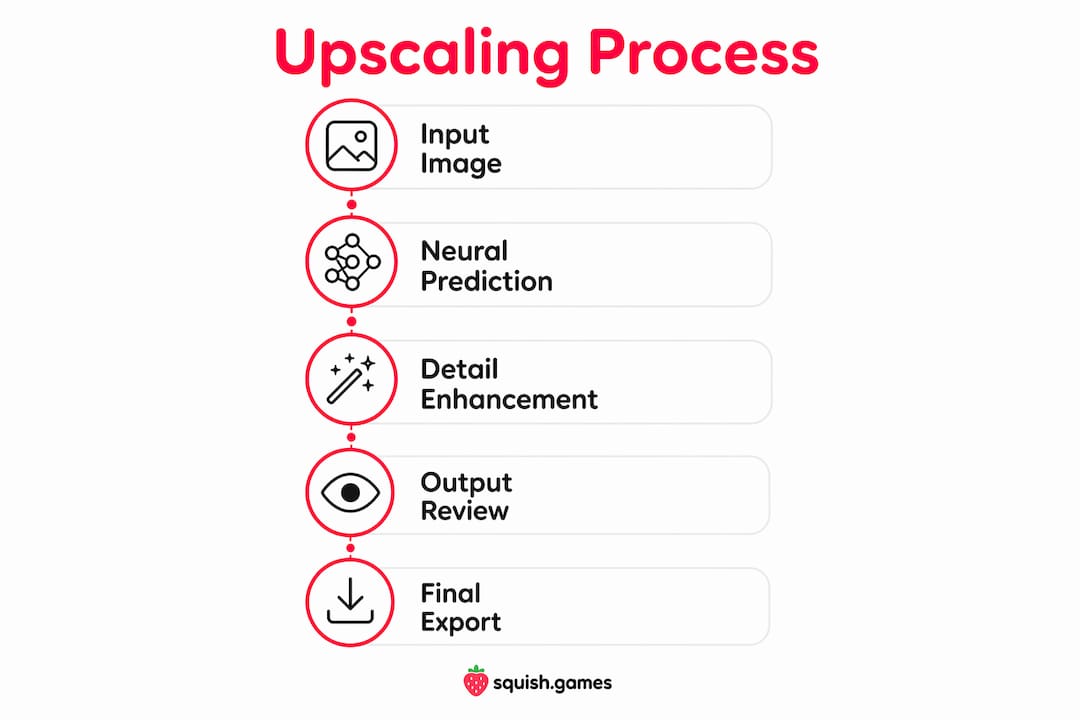
    AI upscaling takes a fundamentally different approach. Neural networks are trained on millions of matched image pairs, learning what low-resolution content typically looks like at high resolution. When you feed in a small image, the model predicts plausible detail rather than averaging existing pixels. The output looks sharper because the AI is asking a different question: not โ€œwhat is mathematically between these pixels?โ€ but โ€œwhat would the original high-resolution version have looked like?โ€

    Digital artist working on AI upscaling project at desk

    Generative adversarial networks and detail hallucination

    The most capable upscalers use Generative Adversarial Networks, or GANs. A GAN pits two neural networks against each other: one generates upscaled images, the other judges whether they look real. This adversarial training pushes the generator to produce visually convincing results rather than statistically average ones. The trade-off is that GANs prioritise plausibility over accuracy.

    This matters enormously for nude art creators. The AI may hallucinate skin pores, fabric textures, or hair strands that were never in your original. These invented details can look stunning on photographic content. On stylised or painterly work, they can introduce a jarring realism that clashes with your intended aesthetic.

    • Traditional interpolation: Blurs edges, loses fine detail, mathematically predictable
    • Neural network upscaling: Sharpens edges, adds plausible texture, probabilistically generated
    • GAN-based upscaling: Highest visual quality, highest risk of invented or inconsistent detail

    Pro Tip: Always compare your upscaled output against the original at 100% zoom before exporting. Artefacts from poor model alignment, such as checkerboarding or jagged edges, are far easier to catch at full resolution than in a thumbnail preview.

    What are the benefits and limits of AI upscaling for nude art?

    The benefits of AI image enhancement for nude art are real and significant. A low-resolution figure study or AI-generated character can be taken to print-ready quality in seconds. Skin tones gain texture. Fabric gains weave. Hair gains individual strand definition. For creators sharing work on platforms that reward visual clarity, this is a genuine competitive advantage.

    Infographic illustrating AI image upscaling steps

    The limits are equally real. AI upscaling performs best on photographic content. Stylised, painterly, or non-photographic artworks are where things get complicated. The modelโ€™s training data skews heavily towards photographs, so it applies photographic logic to artistic work. A soft, impressionistic nude can come back looking like a wax figure if you choose the wrong mode or push the scale too far.

    Practical guidance for nude art creators

    1. Start with 2x upscaling. Conservative upscaling at 2x preserves your artistic intent far better than jumping straight to 4x or 8x. Higher ratios dramatically increase the likelihood of invented textures that distort the original.
    2. Choose your mode deliberately. Most professional tools offer a preservation mode and a creative mode. Preservation mode retains your original detail. Creative mode adds invented detail. For nude art with specific skin rendering, preservation is almost always the safer starting point.
    3. Assess source quality first. Upscaling cannot fix a blurry or poorly lit original. A sharp, well-composed source image produces a far better upscaled result than a soft one at any resolution.
    4. Review at full resolution. Zoom to 100% and check skin areas, hair edges, and background transitions. These are the zones where hallucinated detail tends to appear first.
    5. Iterate rather than commit. Run the same image through two different modes or tools and compare. The difference between Topaz Gigapixelโ€™s standard model and its art-focused model on a stylised nude can be dramatic.

    Pro Tip: For AI-generated nude art specifically, preservation mode tends to respect the original modelโ€™s rendering style. Creative mode can introduce photographic skin textures that clash with a painterly or fantasy aesthetic. Match the mode to the medium.

    Which AI upscaling tools suit digital artists best?

    The best AI upscaling tools for digital artists are Adobe Photoshop Firefly, Topaz Gigapixel, and Topaz Bloom, each with distinct strengths for different creative workflows. Photoshopโ€™s Firefly Upscaler supports output resolutions up to 6,144 ร— 6,144 pixels, reaching up to 56 megapixels depending on the source. That is print-ready quality from a modest original.

    Tool Max Output Best For Nude Art Suitability
    Adobe Photoshop Firefly 6,144 ร— 6,144 px Photographic and mixed media Strong for realistic skin tones
    Topaz Gigapixel Up to 600% scale Photographic detail recovery Excellent for photorealistic work
    Topaz Bloom High resolution Artistic and stylised content Better for painterly or fantasy art
    Open-source alternatives Variable Experimental workflows Requires technical setup

    Topaz Gigapixel excels at recovering fine photographic detail, making it the go-to for photorealistic nude art or figure photography. Topaz Bloom is designed with artistic content in mind, which makes it more forgiving on stylised or AI-generated imagery. Open-source models exist and are worth exploring if you want full control, but they require technical setup that commercial tools spare you.

    Selecting the right tool depends on your output goal. If you are preparing a photorealistic AI-generated figure for large-format print, Gigapixel is the stronger choice. If you are working with fantasy characters or painterly nudes destined for social sharing, Bloom or Fireflyโ€™s creative mode will better respect the original aesthetic. Understanding common AI art mistakes before you commit to a tool saves considerable rework.

    How to use AI image upscaling effectively: step-by-step

    Effective AI photo enlargement starts before you open any upscaling tool. Source image quality is the single biggest determinant of output quality. A sharp, well-lit original with clear compositional intent will always outperform a blurry or noisy source, regardless of which tool you use.

    1. Prepare your source image. Check focus, lighting, and noise levels. Remove compression artefacts if possible using a denoising pass before upscaling.
    2. Choose your upscale ratio. Start at 2x. Only move to 4x if the 2x result is insufficient and you are prepared to review carefully for hallucinated detail.
    3. Select the appropriate model mode. Preservation for realistic content, creative for artistic enhancement. Match the mode to your medium.
    4. Run a preview before committing. Most professional tools offer a preview crop. Use it. Check skin areas, hair, and background edges at 100% zoom.
    5. Export and compare. Place the upscaled version alongside the original at matched display sizes. If the upscaled version introduces textures that feel inconsistent with your artistic intent, revert to preservation mode or a lower ratio.

    Modern AI upscaling workflows process a single image in 10โ€“15 seconds. That is compared to 30โ€“60 minutes for equivalent manual editing. The speed gain is real, but it should not replace careful review. Fast processing makes iteration cheap, so use that advantage to run multiple passes and compare results rather than accepting the first output.

    Pro Tip: After upscaling, bring your image back into your main editing environment for a final pass. AI upscaling can introduce subtle colour shifts or contrast changes. A quick levels or curves adjustment restores the original tonal intent.

    Integrating upscaled imagery with AI video creation tools is a natural next step for creators who want to take a high-resolution nude art piece and turn it into motion content for social platforms.

    Key takeaways

    AI image upscaling produces visually plausible high-resolution detail through neural network prediction, not factual reconstruction, making tool and mode selection critical for nude art creators.

    Point Details
    AI upscaling is generative Models hallucinate plausible detail rather than recovering original data exactly.
    2x is the safest ratio Conservative upscaling preserves artistic intent; higher ratios risk plastic or inconsistent textures.
    Mode selection matters Use preservation mode for realistic skin; use creative mode for stylised or fantasy content.
    Speed is a genuine advantage AI workflows process images in 10โ€“15 seconds versus 30โ€“60 minutes for manual editing.
    Source quality is the ceiling No upscaling tool can recover detail from a blurry or poorly composed original.

    AI upscaling has changed how i think about resolution

    The first time I ran a low-resolution AI-generated nude figure through Topaz Gigapixel, I was genuinely surprised. The skin rendering came back with a level of pore-level detail that the original simply did not contain. That is both the promise and the problem with this technology.

    The promise is obvious. Work that would have been unusable at small sizes becomes print-ready. Characters that look soft on screen gain presence and weight. For creators building portfolios or selling prints, that is a real commercial advantage. The role of generative AI in creative workflows has expanded faster than most artists anticipated, and upscaling is one of the most immediately practical applications.

    The problem is subtler. When the AI invents detail, it applies its own aesthetic logic. For photorealistic nude art, that logic often aligns well with what you want. For stylised, painterly, or fantasy-influenced work, it can quietly undermine the aesthetic choices you made deliberately. I have seen beautifully rendered fantasy figures come back from a 4x upscale looking like they were photographed rather than painted. The AI did exactly what it was designed to do. It just was not what the artist intended.

    My honest recommendation is to treat AI upscaling as a finishing tool, not a fix-all. Use it on work that is already compositionally strong. Choose your mode based on your medium, not your ambition. And always review at full resolution before you share or print. The technology is genuinely impressive. It rewards creators who understand its logic and punishes those who trust it blindly.

    โ€” Jason

    Take your upscaled art further with Squish

    Once your image is sharp, detailed, and ready to share, the next question is what to do with it. Squish is a free-to-start AI video and interactive art platform that lets you take any upscaled photo, AI-generated character, or nude art piece and turn it into a short animated clip, a dancing image, or a bouncing interactive effect.

    https://squish.games

    Squish is built for creators who want to go beyond static images without needing editing skills. Upload your upscaled artwork, choose an effect, and share directly to social platforms. For adult creators, Squish supports free AI video creation including NSFW content, dancing videos, and sexy AI clips. If you are building a portfolio of AI art or nude figure work, the AI video art portfolio guide shows you exactly how to present upscaled imagery as dynamic, shareable content.

    FAQ

    What is AI image upscaling in simple terms?

    AI image upscaling is the process of enlarging an image using a neural network that predicts and generates realistic high-resolution detail. Unlike traditional resizing, it produces sharper results by hallucinating plausible content rather than blurring existing pixels.

    Is AI upscaling the same as restoring the original detail?

    No. GAN-based upscaling generates visually plausible detail rather than recovering what was originally there. The output is a convincing approximation, not a factual reconstruction.

    What upscale ratio is best for nude art?

    A 2x upscale ratio is recommended for nude art and stylised digital content. Higher ratios increase the risk of invented textures that distort the original artistic intent.

    Which tool is best for upscaling ai-generated nude art?

    Topaz Gigapixel suits photorealistic nude art, while Topaz Bloom and Adobe Photoshop Firefly work better for stylised or painterly content. The right choice depends on whether your source image is photographic or artistic in style.

    Can AI upscaling cause artefacts?

    Yes. Checkerboarding and jagged edges occur when model architecture is poorly aligned. Choosing reputable commercial tools and reviewing output at 100% zoom catches these issues before they reach your final export.

  • Squish vs Runway: Which AI Tool Is Better in 2026?

    If your goal is professional filmmaking, Runway is one of the strongest AI video platforms available.

    If your goal is turning photos into animated, interactive characters you can play with, Squish is the better choice.

    What Runway Does Best

    Runway is designed for creators making:

    • Short films
    • Commercials
    • Music videos
    • Cinematic content
    • Professional visual storytelling

    Runway offers powerful video generation, editing, scene extension, camera controls, and advanced filmmaking tools.

    What Squish Does Best

    Squish focuses on a completely different experience.

    Instead of stopping at video generation, Squish lets you:

    • Turn photos into animated videos
    • Make photos jiggly and interactive
    • Create fantasy scenes
    • Save characters to your vault
    • Share creations with the community
    • Play mini-games using your creations

    Squish is less about filmmaking and more about making photos come alive.

    Choose Runway If

    • You are a filmmaker
    • You need advanced editing tools
    • You want maximum production control
    • You are creating commercial content

    Choose Squish If

    • You want to animate personal photos
    • You want interactive effects
    • You want playful AI experiences
    • You want one-click creativity without a complex editor

    The Bottom Line

    Runway is a filmmaking platform.

    Squish is an AI photo playground.

    If you’re creating a movie, choose Runway.

    If you’re turning photos into living characters, choose Squish.

  • Squish vs Kling: Which AI Video Generator Is Better?

    Kling is widely known for producing some of the most realistic AI videos available today.

    Squish uses advanced AI video technology too, but focuses on what happens after the video is created.

    What Kling Does Best

    Kling excels at:

    • Realistic motion
    • Cinematic quality
    • Visual consistency
    • High-end image-to-video generation

    Many creators use Kling when visual realism is the top priority.

    What Squish Does Best

    Squish focuses on:

    • Easy photo uploads
    • Interactive photo effects
    • Character creation
    • Jiggly animations
    • Community sharing
    • Playable AI experiences

    Choose Kling If

    • Realism is your number one priority
    • You want cinematic results
    • You are creating professional visual content

    Choose Squish If

    • You want to have fun with your photos
    • You want more than just a generated video
    • You want to create interactive characters
    • You want an easy creative experience

    The Bottom Line

    Kling creates incredible videos.

    Squish creates experiences.

    If you only need a video, Kling is excellent.

    If you want a character you can continue playing with, Squish is the better choice.

  • Squish vs Pika: Which AI Photo Animation Tool Is Better?

    Pika became famous for fun visual effects that transform images into short AI videos.

    Squish takes that idea further by combining effects, video generation, interactive art, and gaming into one platform.

    What Pika Does Best

    Pika is great for:

    • Quick effects
    • Social media clips
    • Viral content
    • Fast AI animations

    What Squish Does Best

    Squish lets users:

    • Upload photos
    • Make them move
    • Make them jiggly
    • Create fantasy scenes
    • Save creations
    • Share creations
    • Continue interacting with them

    Choose Pika If

    • You want a quick effect
    • You want fast social content
    • You only need a short video

    Choose Squish If

    • You want a complete creative experience
    • You want to keep building on your creations
    • You want interactive characters
    • You want a creative playground

    The Bottom Line

    Pika generates effects.

    Squish creates digital toys from your photos.

    That’s a much bigger experience.

  • Squish vs HeyGen: Which AI Avatar Platform Is Better?

    HeyGen is one of the best AI avatar platforms available today.

    But HeyGen and Squish solve very different problems.

    What HeyGen Does Best

    HeyGen specializes in:

    • Talking avatars
    • Business presentations
    • Training videos
    • Sales videos
    • Corporate content

    If you need a digital spokesperson, HeyGen is outstanding.

    What Squish Does Best

    Squish focuses on:

    • Creative entertainment
    • Animated photos
    • Interactive effects
    • Fantasy scenes
    • Character creation
    • Community sharing

    Choose HeyGen If

    • You need a talking avatar
    • You create training content
    • You make sales videos
    • You need business communication tools

    Choose Squish If

    • You want creativity and fun
    • You want animated photos
    • You want fantasy videos
    • You want interactive characters

    The Bottom Line

    HeyGen creates presenters.

    Squish creates characters.

    Choose the platform that matches your goal.

  • Squish vs Hailuo: Which AI Video Tool Is Most Awesome?

    Hailuo is known for impressive image-to-video quality and smooth motion generation.

    Squish uses advanced AI video technology while focusing on a broader creative experience.

    What Hailuo Does Best

    Hailuo excels at:

    • Image-to-video conversion
    • Smooth movement
    • Visual quality
    • Realistic animation

    What Squish Does Best

    Squish combines:

    • AI video generation
    • Interactive photo effects
    • Jiggly images
    • Character creation
    • Community sharing
    • Creative play

    Choose Hailuo If

    • You only need video generation
    • Visual quality is your primary concern
    • You prefer a dedicated video tool

    Choose Squish If

    • You want to keep interacting with creations
    • You want playful effects
    • You want more than a video export
    • You want an AI photo playground

    The Bottom Line

    Hailuo generates videos.

    Squish turns photos into experiences.

    That’s the difference.

  • Introducing Squish.Games Characters, AI Roles, Long-lived AI video main characters and storytelling (Uncensored Videos NSFW)

    Squish vs Every Other AI Video Generator

    Most AI platforms stop after generation.

    You upload a photo.

    You generate a video.

    You download a file.

    Done.

    Squish starts there.

    What Makes Squish Different?

    With Squish you can:

    • Make photos move
    • Make photos jiggly
    • Create fantasy scenes
    • Save characters
    • Build a collection
    • Share creations
    • Play games
    • Keep creating from the same character

    Most AI tools create content.

    Squish creates experiences.

    Who Is Squish For?

    • Creators
    • Couples
    • Families
    • Influencers
    • Artists
    • Real estate agents
    • Small businesses
    • Anyone with a photo

    What Is Squish?

    Squish is an AI photo playground.

    Upload a photo.

    Turn it into a character.

    Then keep playing.

    The Bottom Line

    If you need a filmmaking platform, there are great options.

    If you want to turn your photos into living characters, Squish is built specifically for that experience.