fb

Blog

  • Video Gen

    here

    Squish AI Video

    🎬 Let's make a scene

    Choose a photo, then choose its motion. The existing setting stays intact.

    1
    Choose your character

    How do you want me?

    Play with a free character
    Recent & preset subjectsShowing 1–3
    2
    Choose location

    Where do you want me?

    Choose a preset place.

    Subject: most recent ready Location: Original Motion: Approach Camera
    Ready.

    This session

    No video generations yet.

    Community leaderboard

  • Top Rated Videos This Week

    Community leaderboard

  • Private Parts

    Privacy Policy for Squish.Games and Its Partners

    Effective Date: Jan 1, 2026

    1. Overview & Scope

    This Privacy Policy applies to Squish and any individuals, contractors, clients, or affiliated entities (“we/us/our”) that work with or through Squish. We provide digital marketing services to help you improve your online presence. We do not store any personal data ourselves — instead, we rely entirely on trusted third-party systems such as Google and Meta (Facebook) Pixels to collect and process data for analytics and ad optimization.

    2. Data Collection via Trusted Third-Party Services

    We integrate external tools like:

    • Google Analytics (and optionally Google Ads/Remarketing)
    • Meta Pixel (Facebook’s tracking/advertising pixel)

    These tools may collect:

    • Device/browser details
    • IP address (hashed or anonymized in GA4)
    • Page interaction data (e.g. clicks, scrolls, time on site)

    We do not combine or merge this data with any personally identifiable information on our end. These third-party platforms handle data processing strictly as per their policies.

    3. Third-Party Privacy Oversight

    These services are governed by their own privacy rules:

    • Google Analytics & Ads: we disclose and obtain consent per Google’s Privacy Disclosures Policy
    • Meta Pixel: usage requires explicit user opt‑in and opt‑out options per GDPR compliance

    Please refer to their official policies.

    4. Consent, Cookie Management & Opt‑Out

    To comply with regulations (e.g. GDPR, CalOPPA), we deploy explicit consent mechanisms:

    • Before any tracking pixel or cookie is activated, you must give clear consent.
    • You can revoke consent at any time via our site’s cookie settings.
    • You may control or refuse cookies using your browser preferences.

    You can also opt-out directly through:

    • Unsubscribe button located on every email announcement.

    5. Data Usage

    Data collected is used only for:

    • Improving website performance
    • Measuring advertising effectiveness
    • Optimizing digital marketing strategies
    • Making your experience better

    We do not use this data for any other purpose, nor do we monetize, sell, rent, or share it for third-party gains.

    SMS/Text Messaging Policy

    1) Overview

    We at Squish, and our clients, may send you SMS/text messages if you have expressly opted in to receive text notifications (“Service”). By subscribing to this Service, you consent to receive periodic text messages to the mobile phone number you provide.

    2) Opt-In Consent

    By providing your mobile phone number and selecting the SMS/text notification option, you expressly agree that Squish and our clients may send you automated and non-automated text messages. Consent is not a condition of purchase unless required for service delivery.

    3) Message Content and Frequency

    Message frequency will vary based on your notification settings and account activity. Messages may include:

    • Alerts and account updates
    • Service notifications
    • Client-specific messages you opted into
    • Promotional alerts (only if you opted into promotional messaging)

    We do not guarantee a specific number of messages.

    4) Carrier Messaging Fees

    Standard messaging and data rates may apply. You are responsible for all charges imposed by your wireless carrier.

    5) Opt-Out / STOP Instructions

    You can opt out of SMS/text messages at any time. To discontinue receiving messages, reply with any of the following commands:

    • STOP

    Upon receipt of a valid STOP command, messaging will cease, and you will receive a one-time confirmation message.

    6) Help/Support

    For assistance, reply HELP to any message or contact support at:
    [email protected]

    7) Policy Changes

    We may update this SMS/Text Messaging Policy at any time. Continued use of the Service after changes are posted constitutes acceptance of the revised policy.

    6. Third‑Party Data Storage

    All data captured via Google or Meta tools is stored and managed under their respective infrastructure and privacy controls. We have no access to raw personal data — only aggregated, anonymized insights.

    7. Data Deletion Requests

    If you wish to delete your data processed via these third-party tools:

    1. Contact us at [email protected]
    2. We will forward your request to Google or Meta on your behalf and assist with the deletion process.

    8. Compliance & Legal Framework

    Though we don’t directly process personal data, we comply with:

    • CalOPPA: publicly accessible, up-to-date Privacy Policy, cookie tracking disclosure
    • GDPR/UK GDPR: user consent for tracking (e.g. Meta Pixel), ease of opt-out/in for EU users

    9. No Data Sales

    We do not sell or otherwise monetize your data. We are committed to maintaining your privacy.

    10. Updates to This Policy

    We may update this policy periodically to reflect changes in our services or legal obligations. Any updates will include a revised “Effective Date.”

    11. Contact Information

    For any questions, concerns, or data deletion requests, please reach us at:
    [email protected]


    Summary

    • No personal data storage: We rely entirely on Google & Meta systems.
    • User control: You have full control through opt-in/out and deletion rights.
    • Transparency & compliance: We follow regulations like GDPR and CalOPPA.
  • Squish Presents AI videos and fun games for influencers, creators, ai bots & artists

    Squish Presents AI videos and fun games for influencers, creators, ai bots & artists

    Squish Games Google Submission Pack

    Recommended Homepage SEO Title

    Squish Games | Free AI Video Tool for Fun Photo Effects, Dancing Images, and Interactive Art

    Recommended Homepage Meta Description

    Make photos move with Squish Games. Create free AI video effects, bouncing photos, dancing images, playful interactive art, and fantasy image-to-video clips with safe, consent-first tools.

    Short Site Summary

    Squish Games is a playful AI entertainment platform where users can turn images into fun AI videos, bouncing photos, dancing clips, jiggly interactive art, mini-games, and shareable creative effects. It is built for safe, consent-first image-to-video creation using selfies, avatars, pets, fantasy characters, creator-owned images, and original AI art.

    Longer Directory / AI Tool Listing Description

    Squish Games is a free-to-start AI video and interactive art platform for making images move. Users can upload a photo, AI image, avatar, pet, fantasy character, or creator-owned image and turn it into a short playful video, dancing image, bouncing photo effect, or jiggly interactive animation. Squish is designed for social sharing, mobile-first creativity, AI entertainment, and fun photo effects without requiring editing skills.

    Squish supports safe, consent-first creative use. It is for selfies, original images, AI-generated characters, licensed creator content, consenting adult uploads, pets, avatars, and fantasy art. Squish does not support non-consensual sexual deepfakes, celebrity sexualization, ex-partner content, underage or ambiguous-age content, or private-person exploitation.

    Best Public-Facing Tagline

    Make any image move.

    Better Search-Facing Tagline

    Free AI video effects for photos, avatars, fantasy images, and interactive art.

    Adult-Adjacent But Safer Tagline

    A safer AI fantasy video maker for avatars, creator-owned images, and consenting adult uploads.

    Primary Keywords

    free AI video tool
    AI video generator
    best AI video generator
    make a free AI video
    AI image to video generator
    make photo move AI
    make photo dance AI
    AI photo effects
    AI effects in video
    interactive art AI tool free
    AI entertainment tool
    AI avatar video generator
    AI fantasy video generator
    AI model video generator
    AI image animation tool
    photo bounce effect
    squish photo effect
    jiggly photo maker
    make photo bounce
    AI dancing photo generator

    Adult-Adjacent Keywords to Use Carefully

    NSFW AI video alternative
    safe NSFW AI video generator
    AI girlfriend video alternative
    AI fantasy girl video generator
    AI model video generator
    AI boudoir video generator
    AI pinup video generator
    AI spicy video alternative
    consent-safe AI video generator
    adult AI entertainment tool

    Trademark / Competitor Keywords for Blog Pages Only

    Sora AI video generator alternative
    Google AI video creator alternative
    Veo AI video alternative
    Grok Imagine alternative
    Kling AI video alternative
    Runway AI video alternative
    Hailuo AI video alternative
    Luma AI video alternative
    PixVerse AI video alternative

    Use these on comparison pages, not as homepage titles. Do not imply Squish is Sora, Google, Veo, Grok, Kling, Runway, Hailuo, Luma, or PixVerse.

    Homepage H1

    Make any image move with AI.

    Homepage Intro Copy

    Upload a photo, avatar, pet, fantasy character, or original AI image and turn it into a playful AI video, bouncing photo, dancing clip, or jiggly interactive artwork. Squish Games is free to start, built for quick mobile creativity, and designed for safe, consent-first AI entertainment.

    Homepage Safety Line

    Use images you own, created, licensed, or have clear permission to animate. Squish is for fun AI art, avatars, fantasy characters, pets, selfies, and consenting adult creators. We do not support non-consensual sexual deepfakes, celebrity sexualization, ex-partner content, minors, or private-person exploitation.

    Sitemap Page Categories

    1. AI Video Generator
    2. Free AI Video Tool
    3. AI Image to Video Generator
    4. Make Photo Move AI
    5. Make Photo Dance AI
    6. AI Photo Effects
    7. Interactive Art AI Tool
    8. Jiggly Photo Maker
    9. AI Avatar Video Generator
    10. AI Fantasy Video Generator
    11. AI Model Video Generator
    12. Safe NSFW AI Video Alternative
    13. Sora Alternative for Fun AI Videos
    14. Google Veo Alternative for Simple AI Video Effects
    15. Grok Imagine Alternative
    16. Kling AI Alternative
    17. Runway AI Alternative
    18. Hailuo AI Alternative
    19. AI Video Generator for Creators
    20. AI Video Generator for Social Media
    21. AI Pet Video Generator
    22. AI Anime Character Video Generator
    23. AI Cosplay Video Generator
    24. AI Boudoir Video Generator
    25. AI Pinup Video Generator

    Recommended First Blog Title

    Best AI Video Generators for Making Photos Move: Squish, Sora, Veo, Kling, Runway, Hailuo, and Grok Compared

    Recommended First Adult-Adjacent Blog Title

    Best NSFW AI Video Generator Alternatives: Safe Fantasy, Avatar, and Consent-First AI Video Tools

    Recommended Editorial Angle

    Safer search intent around AI fantasy video, creator-owned uploads, and consent-first image-to-video tools.

    Recommended article:

    Why Squish Games Is Not a Deepfake Porn Site: A Safer Way to Make Fantasy AI Videos

  • AI Video Maker – Free Adult

    AI Video Maker – Free Adult

    Squish Games is built for safe AI entertainment, fantasy characters, avatars, creator-owned images, pets, selfies, and consenting adult creators.

  • FAQ – Ai Video Generator NSFW ADULT 18+

    FAQ – Ai Video Generator NSFW ADULT 18+

    Squish Games FAQ

    What is Squish Games?

    Squish Games is a playful AI video and interactive art tool that helps you make images move. Upload a photo, avatar, fantasy character, AI-generated image, pet, artwork, or creator-owned image and turn it into a short AI video, bouncing photo, dancing image, or jiggly interactive animation.

    Is Squish Games free?

    Squish Games is free to start. Some advanced tools, premium video generations, longer videos, custom uploads, or extra creative actions may use coins or paid upgrades.

    What can I make with Squish Games?

    You can make fun AI videos, animated photos, dancing images, bouncing photo effects, jiggly artwork, fantasy character clips, avatar videos, pet videos, social media content, and playful AI entertainment.

    Can I upload my own photo?

    Yes. You can upload images you own, created, licensed, or have clear permission to use. This includes selfies, original AI art, avatars, pets, fantasy characters, creator-owned images, and consenting adult uploads.

    Can I make adult or nude AI content?

    Squish is built for consenting adults, creator-owned images, fantasy characters, avatars, and artistic AI entertainment. Adult-styled, glamour, boudoir, pinup, fantasy, or nude creative content must involve adults only and must follow our consent and safety rules.

    You may only upload or animate adult images when you own the image, created the image, licensed it, or have clear permission from the adult person shown.

    What content is not allowed?

    Squish does not allow content involving minors, ambiguous-age people, non-consensual intimate content, sexual deepfakes of real people without permission, celebrity sexualization, ex-partner exploitation, revenge content, leaked/private content, coercion, harassment, sexual violence, or content that appears to exploit a real person.

    If a person is real, private, recognizable, or not clearly consenting, do not upload or animate them in adult or intimate contexts.

    Can I upload a photo of my girlfriend, boyfriend, partner, or spouse?

    Only if they are an adult and gave you clear permission to use that image in the way you are using it. Consent matters. Do not upload a partner, ex-partner, friend, coworker, classmate, public figure, or private person for adult, nude, romantic, suggestive, or intimate animation unless they clearly agreed to that use.

    Can I use celebrity photos?

    Do not upload celebrities, influencers, public figures, or recognizable real people for adult, nude, romantic, suggestive, or intimate content. Squish is designed for your own images, consenting adult creators, avatars, fantasy characters, and original AI art.

    Can I use AI-generated characters?

    Yes. AI-generated characters, avatars, fantasy models, anime-style characters, and original digital artwork are welcome as long as the content follows our safety rules and does not depict minors, ambiguous-age characters, non-consensual scenarios, or exploitation.

    Can I make a photo dance?

    Yes. Squish can help turn a still image into a playful moving clip, dance-style animation, bouncing photo, or interactive art effect. Results depend on the image, pose, style, and selected video effect.

    Can I make a photo bounce or jiggle?

    Yes. Squish includes playful image effects that can make selected parts of an image bounce, move, wiggle, or react interactively. It is designed for fun, expressive, shareable AI art.

    Is Squish an AI video generator?

    Yes. Squish includes AI image-to-video tools that can turn a starting image into a short creative video. It is built for fast, playful, mobile-friendly AI entertainment rather than complicated video editing.

    Is Squish like Sora, Google Veo, Kling, Runway, or other AI video tools?

    Squish is different. Tools like Sora, Veo, Kling, Runway, Hailuo, and Luma focus on broad AI video generation. Squish focuses on quick, playful, image-first entertainment: making photos move, making characters dance, creating jiggly interactive art, and turning simple uploads into fun shareable clips.

    Is Squish good for social media?

    Yes. Squish is designed for short, playful, shareable clips that work well for TikTok, Instagram Reels, YouTube Shorts, X, group chats, fan pages, meme pages, and creator accounts.

    Who is Squish for?

    Squish is for people who want fast AI entertainment from images. It is useful for creators, meme makers, AI art fans, avatar creators, cosplay creators, pet owners, wedding guests, social media users, adult creators using their own content, and anyone who wants to make a photo move.

    Can creators use Squish for their own content?

    Yes. Squish is a strong fit for creators who own their images and want playful AI video effects, fantasy character content, avatar clips, glamour-style edits, or social media previews. Creators should only upload content they own or have permission to use.

    Can I download or share my videos?

    Yes. Squish is built for saving and sharing. Depending on the tool and result type, you may be able to download, share, publish, or save your creations to your vault.

    Do I own what I upload?

    You should only upload content you already own, created, licensed, or have permission to use. Squish does not give you rights to images or likenesses you do not already have rights to use.

    What if someone uploads my image without permission?

    Please contact us through our report or takedown process. Squish takes non-consensual use seriously, especially adult, nude, intimate, private, or exploitative content. We review reports and may remove content, restrict accounts, or take additional action when content violates our rules.

    How do I get the best results?

    Use a clear, high-quality image with the subject visible. Images with strong lighting, a clear pose, and a simple background usually work better. Fantasy characters, avatars, pets, selfies, and creator-owned images can all work well.

    Why does Squish focus on consent?

    AI tools are powerful, and creative freedom works best when people are protected. Squish is built for fun, fantasy, art, creator-owned content, and consenting adult use. Consent keeps the platform safer, more creative, and more sustainable.

    What is the easiest way to start?

    Upload an image, choose a creative effect, and let Squish make it move. You can start with a selfie, pet photo, avatar, AI image, fantasy character, or creator-owned image.

  • Best Free AI Video Tool for Making Photos Move

    Looking for a free AI video tool to make photos move? Squish Games turns images into fun AI videos, bouncing photos, dancing clips, and interactive art.

    The easiest way to make a photo move is no longer opening a complicated video editor. Today, you can upload one image, choose a creative effect, and turn it into a short AI video in minutes.

    That is what Squish Games is built for.

    Squish Games is a free-to-start AI video and interactive art tool that helps people turn photos, avatars, pets, fantasy characters, AI images, and creator-owned images into playful moving clips. You can make a photo bounce, dance, wiggle, react, or become part of a short shareable AI video.

    What makes a good free AI video tool?

    A good AI video tool should be fast, easy, mobile-friendly, and fun. Most people are not trying to become professional video editors. They just want to upload an image and make something cool enough to send to a friend, post online, or save to their collection.

    The best tools should make it easy to:

    • Upload a photo or AI image
    • Create a short animated video
    • Add playful motion or effects
    • Download or share the result
    • Try again without starting from scratch
    • Use images safely and responsibly

    Squish Games focuses on that simple creative loop.

    What can you make with Squish?

    With Squish, you can make fun AI videos, bouncing photo effects, dancing images, jiggly interactive art, and short social clips. It works especially well for selfies, pets, avatars, fantasy characters, creator-owned images, and original AI art.

    Popular ideas include:

    • Make a pet photo bounce
    • Turn an avatar into a video
    • Make a fantasy character move
    • Create a funny group chat clip
    • Make an AI image dance
    • Create playful interactive art
    • Turn a still image into a short video

    Is Squish free?

    Squish is free to start. Some premium generations, longer videos, custom uploads, or extra creative actions may use coins or paid upgrades, but the goal is simple: let people try the magic quickly.

    Is Squish only for dancing photos?

    No. “Make a photo dance” is one use case, but Squish is broader than that. It is an AI entertainment platform for image-to-video, bouncing photos, jiggly art, mini-games, and playful visual effects.

    That matters because many AI video tools focus on cinematic prompts or advanced editing. Squish focuses on fast entertainment from one image.

    Safe creative use

    Squish is for images you own, created, licensed, or have clear permission to use. It supports selfies, avatars, pets, fantasy characters, creator-owned images, consenting adult uploads, and original AI art.

    Do not upload private people, ex-partners, celebrities, minors, or anyone who has not clearly consented to how their image is being used.

    Try it

    If you want a simple way to make a photo move, start with Squish Games. Upload an image, choose an effect, and make something fun.

  • Google AI Video Creator Alternative for Simple Image-to-Video Effects For Free

    Need a simple Google AI video creator alternative? Squish Games helps make images move with free-to-start AI video effects and interactive art.

    Google AI Video Creator Alternative for Simple Image-to-Video Effects

    People searching for a Google AI video creator tool usually want one thing: an easier way to make video with AI.

    But not everyone needs a complicated cinematic tool. Sometimes you just want to upload a photo and make it move.

    That is where Squish Games fits.

    A simpler kind of AI video creator

    Squish is an image-first AI entertainment tool. It helps you take a photo, avatar, AI image, pet picture, or fantasy character and turn it into something moving, playful, and shareable.

    Instead of starting with a blank text prompt, Squish starts with your image.

    That makes it easier for people who already have a visual idea.

    What can you create?

    With Squish, you can make:

    • AI image-to-video clips
    • Dancing photo effects
    • Bouncing photos
    • Jiggly interactive images
    • Pet videos
    • Avatar videos
    • Fantasy character clips
    • Creator-owned image animations
    • Social media content

    It is built for quick experiments and fun results.

    Why choose Squish?

    Choose Squish if you want:

    • A free-to-start AI video tool
    • Mobile-friendly creation
    • Fast image uploads
    • Playful effects
    • Interactive art
    • Shareable clips
    • A creator-friendly experience

    Squish is not just a video generator. It is an AI entertainment playground.

    Consent-first creative use

    Squish supports images you own, created, licensed, or have permission to use. Adult-styled, glamour, fantasy, nude, or boudoir-style creative use should involve consenting adults only.

    Do not use private people, celebrities, ex-partners, minors, or anyone who did not clearly consent to that use.

    Start making images move

    If you want a simple Google AI video creator alternative for photo effects, image-to-video, and interactive AI art, try Squish Games.

  • How AI supports creative expression in 2026

    How AI supports creative expression in 2026

    AI supports creative expression by acting as a collaborative partner that expands your idea space, automates repetitive tasks, and generates diverse concepts you would not reach alone. Research from Swansea University, Microsoft Research, and Adobe confirms that how AI supports creative expression is measurable: artists and designers who engage AI actively report higher engagement, greater novelty in their outputs, and significantly more time for strategic creative decisions. Tools like Adobe Firefly, ChatGPT, and multi-agent AI systems are not replacing human creativity. They are broadening what is possible within it.

    How does AI enhance creativity for artists and designers?

    AI enhances creativity through three distinct mechanisms: idea diversity, novel concept generation, and workflow automation. Each one addresses a different bottleneck in the creative process.

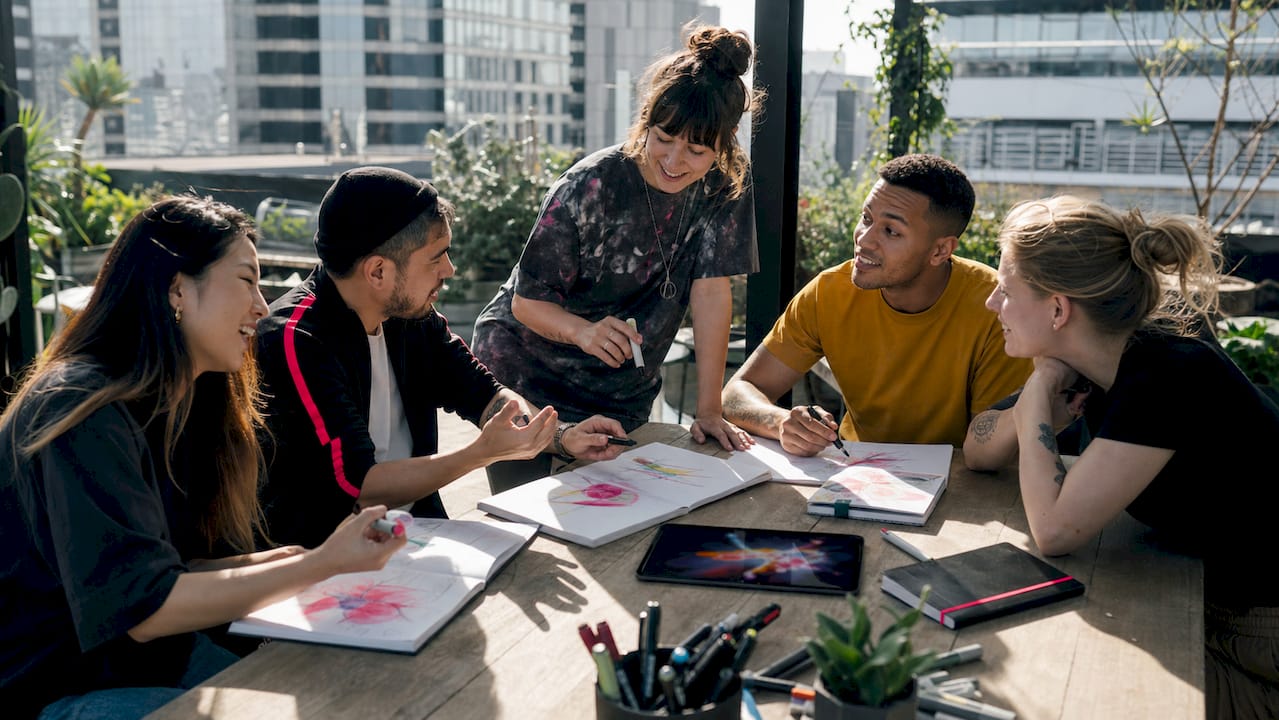
    Designer using touchscreen for AI ideas

    Diverse outputs break creative fixation

    A Swansea University study involving 800+ participants designing virtual cars found that AI-generated suggestion galleries, including deliberately low-quality ideas, increased engagement, design quality, and creative exploration. That finding matters because it challenges the assumption that AI should only show you its best work. Presenting imperfect options encourages you to explore beyond your initial assumptions rather than anchoring to the first plausible idea.

    The method behind this is called MAP-Elites, a technique that structures AI output diversity intentionally across a broad range of variants. When you request multiple concept directions rather than a single polished answer, you cover more creative ground in less time.

    Multi-agent AI systems generate genuinely novel ideas

    Microsoft Research analysed 4,541 ideas from multi-agent AI systems against 341 ideas from human teams. The AI systems outperformed human teams on novelty with a Cohen’s d of 1.50, a statistically large advantage, while maintaining comparable usefulness. That result suggests AI is not just faster at generating ideas. It reaches parts of the semantic space that human groups, constrained by social dynamics and conversational flow, rarely visit.

    Automation frees time for high-level decisions

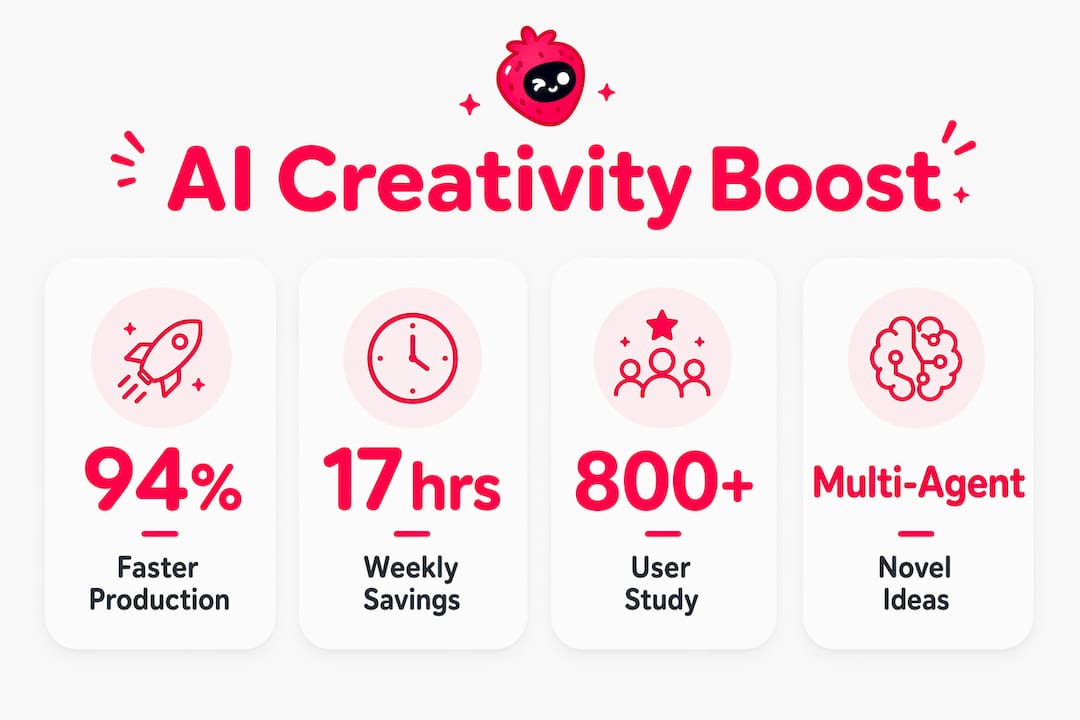
    Adobe research, featured in MIT Technology Review, found that 94% of creatives report AI helps them produce content faster, saving an average of 17 hours per week. That is not a productivity statistic in isolation. It represents 17 hours redirected from resizing assets and generating background variants toward the strategic, nuanced decisions that define your creative voice.

    Adobe Firefly’s AI Assistant takes this further by allowing creators to direct multi-step workflows conversationally across Creative Cloud applications. You describe what you want in plain language, and the assistant orchestrates the execution.

    Infographic showing AI creative benefits statistics

    Pro Tip: Ask your AI tool for five concept variants, not one. Request that at least two be unconventional or even flawed. The contrast between strong and weak ideas sharpens your critical eye and often surfaces directions you would have dismissed too quickly.

    How should creatives collaborate with AI effectively?

    The way you interact with AI determines whether it strengthens or erodes your creative agency. Research published in Scientific Reports in 2026 makes the distinction clear.

    1. Adopt the draft-refine-revise model. Generate an AI draft, then actively revise it. A study with N=269 participants found that collaborative AI use preserved psychological ownership and self-efficacy, while passive copy-pasting caused both to decline even after participants returned to working without AI.
    2. Use guided, iterative prompts rather than open-ended requests. A SpringerLink study comparing regulated AI use against free-form AI use found that guided AI interaction sustained creative performance after AI assistance was removed. Free-form use did not produce the same lasting gains.
    3. Treat AI outputs as raw material, not finished work. Psychological ownership is central to meaningful creative expression. When you revise, reframe, and personalise AI-generated content, you maintain the sense that the work is genuinely yours.
    4. Build your taste through repeated refinement cycles. Each draft-refine-revise loop trains your judgement. Over time, you develop a clearer instinct for what to keep, what to discard, and what direction to push the AI toward next.
    5. Avoid passive reliance during critical creative phases. The Scientific Reports experiment showed that copying AI outputs without engagement damaged creative self-efficacy in follow-up tasks. Reserve passive AI use for genuinely mechanical work, not for tasks where your creative voice matters.

    Pro Tip: After every AI-assisted session, spend ten minutes writing or sketching without AI. This habit keeps your independent creative instincts sharp and prevents the gradual drift toward over-reliance.

    What do real-world AI creative workflows look like?

    Concrete applications reveal how the benefits of AI in creative fields translate from research into daily practice.

    Starting with low-stakes tasks

    The most effective entry point for AI in a creative workflow is repetitive, low-stakes work: asset resizing, background generation, colour palette variants, and copy localisation. These tasks consume time without demanding creative judgement. Handing them to AI tools creates space for the work that actually requires your expertise.

    Generating structured concept diversity

    Rather than asking AI for a single direction, experienced designers request structured batches. A brand identity designer might ask for twelve logo concept directions across three distinct visual territories, then use the spread to identify which territory feels most alive. This mirrors the MAP-Elites approach from the Swansea research: diverse design suggestions produce better outcomes than curated single outputs.

    Preserving brand control with customisable models

    Adobe Firefly Foundry allows creative teams to train brand-customisable AI models, meaning generated assets stay within defined visual guidelines. This matters for designers working within brand systems, where creative exploration must remain coherent with existing identity. The tool does not replace creative direction. It executes within the parameters you set.

    Workflow Stage AI Role Human Role
    Ideation Generate 10–20 concept variants Select, discard, and reframe directions
    Asset production Automate resizing, backgrounds, variants Review for brand and quality fit
    Refinement Suggest copy and layout alternatives Revise and personalise outputs
    Final execution Render and export at scale Approve and contextualise delivery

    The 17 hours saved weekly reported by Adobe’s research maps directly onto these stages. Most of those hours come from asset production and refinement, the stages where AI executes reliably at scale.

    How do multi-agent AI systems differ from single AI tools?

    Multi-agent AI systems and single AI tools serve different creative purposes. Understanding the difference helps you choose the right approach for each project phase.

    Factor Single AI Tool Multi-Agent AI System
    Idea novelty Moderate, constrained by one model’s training High, with Cohen’s d=1.50 advantage over human teams
    Semantic range Narrower, tends toward coherent outputs Broader, explores across disconnected themes
    Conversational flow Smooth and contextually consistent Shorter paths, less flow, more divergence
    Best use case Refinement, execution, and iteration Early ideation and concept exploration
    Human oversight needed Moderate High, outputs require strong editorial judgement

    The Microsoft Research findings reveal something counter-intuitive about multi-agent creativity. These systems produce more novel ideas precisely because they do not prioritise conversational coherence. Human teams spend cognitive energy maintaining social flow and group consensus. Multi-agent AI systems do not. They explore semantic space efficiently, covering more conceptual ground per interaction. For artists and designers in early ideation phases, that breadth is the point.

    The practical implication is clear. Use multi-agent approaches when you want to discover directions you have not considered. Use single AI tools when you know the direction and need execution support.

    Key takeaways

    AI supports creative expression most effectively when you treat it as an active collaborator, not a passive generator, using structured diversity, iterative refinement, and guided prompts to preserve your creative agency.

    Point Details
    Diverse AI outputs prevent fixation Request multiple variants including flawed ideas to broaden your creative exploration.
    Active collaboration preserves ownership Revising AI drafts maintains psychological ownership and self-efficacy over time.
    Guided prompts outperform free-form use Regulated AI interaction produces lasting creativity gains that persist without AI assistance.
    Multi-agent systems excel at ideation They outperform human teams on novelty, making them ideal for early-stage concept generation.
    Automation reclaims strategic time Creatives save an average of 17 hours weekly, freeing capacity for high-level decisions.

    Why i think most creatives are using AI backwards

    Most artists and designers I observe reach for AI when they are stuck. That instinct is understandable, but it is the wrong moment to hand over the wheel. When you are stuck, you are at the most generative point in your creative process. Handing that moment to AI trains you to outsource the discomfort that actually produces growth.

    The research backs this up. The SpringerLink study found that guided, iterative AI use sustained creative performance after AI was removed. Free-form use did not. The difference is not the tool. It is the posture you bring to it.

    What I have found works is using AI at the beginning and the end of a project, not the middle. At the start, use it to generate a wide spread of directions you can react to. At the end, use it to handle execution and scale. In the middle, where the real creative decisions happen, work without it. That is where your voice develops.

    The other trap I see is treating AI outputs as a ceiling rather than a floor. If the AI generates something good, the instinct is to stop there. The better move is to treat it as a provocation. What would you do if you had to make this ten times stranger? Ten times simpler? The AI has given you a starting point. Where you take it is still entirely yours.

    — Jason

    Bring your creative vision to life with Squish

    If you are ready to put these principles into practice, Squish is built for exactly this kind of active, playful AI collaboration. Squish is a free-to-start AI video and interactive art platform that turns your photos, avatars, AI characters, and original images into short animated videos, dancing effects, and jiggly interactive art. No editing skills required.

    https://squish.games

    Squish is designed for creators who want to experiment fast, share widely, and maintain full ownership of their original content. Upload your image, choose an animation style, and generate a short clip ready for social sharing in minutes. The AI video generation tools support everything from playful pet animations to fantasy character art and creator-owned content. Start free and see what your images can do.

    FAQ

    What is ai-supported creative expression?

    AI-supported creative expression is the practice of using AI tools as active collaborators in the creative process, generating diverse ideas, automating repetitive tasks, and expanding the range of concepts a creator can explore.

    Does using AI reduce your own creativity over time?

    Passive AI use, where you copy outputs without engaging with them, does reduce creative self-efficacy over time. Active collaboration, where you revise and personalise AI drafts, preserves and can strengthen your creative agency according to research published in Scientific Reports.

    Which AI tools are most useful for visual artists and designers?

    Adobe Firefly and its AI Assistant are widely used for visual workflows, offering brand-customisable models and conversational multi-step task execution across Creative Cloud applications. Multi-agent AI systems are most effective for early ideation phases requiring high novelty.

    How many hours can AI save creative professionals each week?

    Adobe research cited in MIT Technology Review found that 94% of creatives report AI saves them an average of 17 hours per week, primarily through automation of asset production and repetitive workflow tasks.

    Why do multi-agent AI systems produce more novel ideas than humans?

    Multi-agent AI systems prioritise broad semantic exploration over conversational coherence, covering more conceptual ground per interaction. Microsoft Research found they outperform human teams on novelty with a Cohen’s d of 1.50, a statistically large effect size.

  • Common AI art mistakes beginners make: 2026 guide

    Common AI art mistakes beginners make: 2026 guide

    The most common AI art mistakes beginners make are vague prompts, skipped iteration, and missing negative prompts, and these errors hit hardest when creating AI nude art. Tools like Midjourney, Stable Diffusion, and DALL·E 3 are powerful, but they reward precision. A blurry prompt produces blurry results, and in nude art, where anatomy, lighting, and composition matter enormously, that gap between intent and output is painfully obvious. This guide covers every major beginner AI art pitfall with specific fixes so your results improve from the very next generation.


    1. writing vague or overloaded prompts

    Vague prompts are the single biggest source of poor AI art output for beginners. When you type something like “beautiful woman, artistic,” the model has almost nothing to work with. It fills the gaps with its own statistical averages, which produces generic, forgettable images.
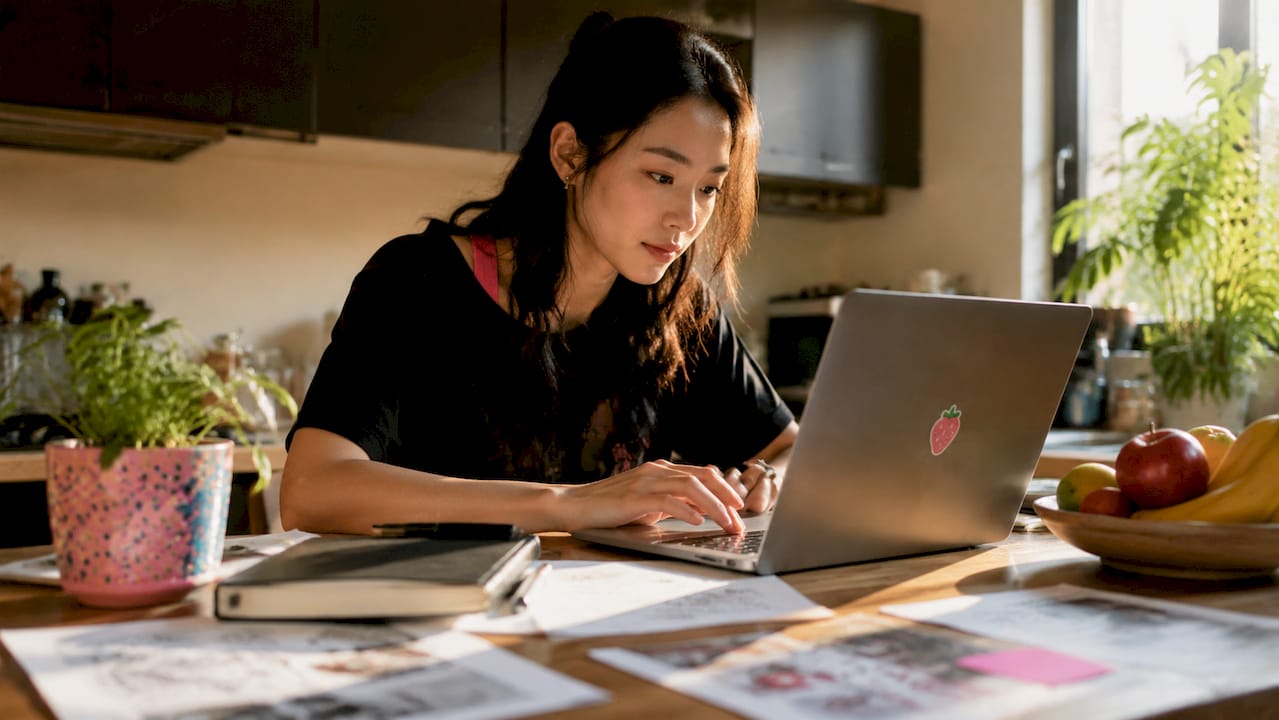
    Woman typing detailed AI art prompts on laptop

    Prompt clarity across four dimensions, subject, style or artist reference, mood or atmosphere, and lighting, improves output significantly. Each dimension gives the model a concrete anchor. Without them, you are essentially asking the AI to guess.

    The opposite problem is equally damaging. Overloaded prompts with more than 5–7 competing elements cause compositional disaster and incoherent images. Stacking “baroque, cyberpunk, impressionist, hyperrealistic, watercolour, oil painting” into one prompt creates what the AI community calls “style soup.” The model cannot reconcile those signals and produces muddy, incoherent results.

    For nude art specifically, this matters more than in any other genre. Anatomy, skin tone, lighting direction, and pose all require precise instruction. A conflicting or vague prompt produces warped limbs, incorrect proportions, and flat lighting.

    • Write one clear subject description first
    • Choose one primary style or artist reference
    • Specify mood: soft, dramatic, intimate, editorial
    • Define lighting: natural window light, studio rim light, candlelight
    • Keep total elements to 5–7 maximum

    Pro Tip: Before generating, read your prompt aloud. If it sounds contradictory or confusing to you, it will confuse the model too.


    2. skipping iteration and treating the first output as final

    Treating the first AI output as a finished piece is one of the most costly newbie AI art blunders. Skipping iterative refinement causes over 40% loss in potential image quality. That is not a small margin. It is the difference between a mediocre result and something genuinely impressive.

    A productive iterative workflow follows a clear sequence. Locking subject and action first, then adjusting style, lighting, and negative prompts in layers, produces far better consistency than trying to get everything right in one go.

    Here is a practical four-step iteration sequence for AI nude art:

    1. Lock the subject. Generate several variations with only subject and pose described. Pick the best anatomy.
    2. Add style and mood. Layer in your style reference and atmosphere. Regenerate from the best subject result.
    3. Refine lighting. Specify lighting direction and quality. Adjust until the skin tones and shadows read correctly.
    4. Apply negative prompts. Add exclusions to clean up artefacts, then do a final pass.

    This layered approach prevents you from chasing too many variables at once. Each iteration has a single purpose, which makes it far easier to identify what is working and what is not.

    Pro Tip: Use a fixed seed number when iterating. This keeps the base composition stable while you adjust other prompt elements, so you are comparing like with like.


    3. ignoring negative prompts entirely

    Negative prompts are not optional extras. They are a core part of prompt engineering, and beginners who skip them pay for it in anatomical errors and visual noise. Using standardised negative prompt blocks reduces issues including blurry details, duplicate items, deformed hands, extra limbs, warped objects, messy backgrounds, cropped subjects, and unreadable text.

    In nude art, these errors are especially visible. Extra fingers, merged limbs, and distorted torsos are the most common complaints from beginners, and almost all of them are preventable with a solid negative prompt.

    A reliable negative prompt block for AI nude art looks like this:

    deformed hands, extra fingers, extra limbs, warped anatomy, blurry, low quality, cropped, cluttered background, text, watermark, duplicate, overexposed, flat lighting, no photorealistic, busy background

    Style negatives such as “no photorealistic” or “no busy background” are as impactful as excluding obvious artefacts for creative control. This is a point most beginners miss entirely. You are not just blocking errors. You are actively steering the aesthetic.

    Save your negative prompt block as a template. Paste it into every generation and adjust only the elements specific to that session. This single habit eliminates the majority of common anatomical and compositional errors.


    4. style soup and aspect ratio errors

    “Style soup” is what happens when you stack conflicting style keywords into a single prompt. Multiple conflicting style keywords produce muddy, incoherent AI art, and this is especially problematic in nuanced nude art where tonal consistency defines the entire mood of the piece.

    The fix is straightforward. Choose one primary style reference and commit to it. If you want a painterly nude in the style of Egon Schiele, that is your anchor. Do not then add “hyperrealistic, 8K, photographic” because those instructions pull in the opposite direction.

    Aspect ratio is a separate but equally damaging mistake. Cropping a generated 1:1 image to 16:9 cuts important visual elements and ruins the original composition. The AI designs the image for the ratio you specify. Changing it afterwards destroys the framing it built.

    Prompt Element Poor Example Strong Example
    Style baroque, cyberpunk, watercolour, oil, anime oil painting, Egon Schiele influence
    Mood mysterious, joyful, dramatic, serene intimate, soft, contemplative
    Lighting studio, candlelight, neon, golden hour soft window light from the left
    Aspect ratio Generate 1:1, crop to 16:9 later Set 16:9 before generating
    Background detailed cityscape, forest, abstract plain studio backdrop

    Set your aspect ratio before you generate. Most tools including Midjourney and Stable Diffusion accept ratio parameters directly in the prompt or settings panel. Use them from the start, not as an afterthought.


    5. choosing the wrong model for the intended aesthetic

    Not all AI models produce the same results, and using the wrong one for your intended aesthetic is a frequent AI art error to avoid. Midjourney excels at painterly, stylised outputs. Stable Diffusion with specific checkpoints gives you far more control over realism and anatomy. DALL·E 3 handles natural language prompts well but has stricter content filters.

    90% of quality issues arise from poor prompt strategy rather than the AI software itself. This means the model matters less than your prompt discipline, but choosing the right model still removes unnecessary friction.

    For nude art, Stable Diffusion with a dedicated checkpoint such as Realistic Vision or DreamShaper gives you the most anatomical control. Midjourney produces beautiful stylised results but is harder to steer for precise anatomy. Knowing this before you start saves hours of frustration.

    Pro Tip: Beginners often assume they need the most expensive or newest model. Start with what you have and master prompt engineering first. The model upgrade can wait.


    6. ignoring guidance scale and inference steps

    Guidance scale and inference steps are two settings that beginners routinely ignore, and both have a direct impact on image quality. Guidance scale controls how strictly the model follows your prompt. A low value produces creative but unpredictable results. A high value produces literal but sometimes over-sharpened outputs.

    For nude art, a guidance scale of 7–12 is a reliable starting range in most Stable Diffusion interfaces. Too low and the model wanders. Too high and skin textures look plastic and unnatural.

    Inference steps determine how many processing passes the model makes. More steps generally means more detail, but there are diminishing returns above 40–50 steps in most models. Beginners often leave this at default and wonder why their outputs look unfinished.

    The img2img workflow is another tool beginners overlook. You generate a base image, then feed it back into the model with a lower denoising strength to refine specific areas without regenerating the whole composition. This is particularly useful for correcting hands, faces, and anatomical details in nude art without starting from scratch.


    7. neglecting view-dependent composition instructions

    Composition instructions in prompts are not just about aesthetics. They prevent anatomical errors caused by ambiguous viewpoints. When you do not specify the camera angle or framing, the model chooses for you, and that choice often produces awkward foreshortening or cropped limbs.

    Specify framing explicitly: “full body, front view, centred” or “three-quarter view, upper body, slight low angle.” These instructions give the model a clear spatial framework. The anatomy it generates will be far more coherent because the model knows exactly what it is supposed to show.

    Layered iterative workflows with fixed seeds and incremental prompt changes yield the highest quality and consistency in AI nude art. View-dependent adjustments fit naturally into this workflow. Lock your composition angle in the first iteration, then refine everything else around it.


    8. skipping research on the tool’s prompt syntax

    Every major AI art tool has its own prompt syntax, and ignoring it is one of the most avoidable frequent AI art missteps. Midjourney uses parameters like --ar 16:9 and --stylize 750. Stable Diffusion uses bracket weighting like (subject:1.4) to increase emphasis. DALL·E 3 responds better to natural language sentences than keyword lists.

    Using Stable Diffusion syntax in a Midjourney prompt, or vice versa, produces unpredictable results. Spend 20 minutes reading the documentation for whatever tool you are using. That investment pays back immediately in more predictable outputs.

    The same applies to model-specific negative prompt conventions. Some checkpoints in Stable Diffusion have built-in negative embeddings like EasyNegative or BadDream that dramatically reduce anatomical errors with a single token. Beginners who discover these save enormous amounts of iteration time.


    Key takeaways

    The most reliable way to improve AI nude art is to master prompt engineering before touching any other setting, because 90% of quality problems come from prompt strategy, not the tool itself.

    Point Details
    Prompt clarity wins Specify subject, style, mood, and lighting in every prompt for consistent results.
    Iterate in layers Lock subject first, then adjust style, lighting, and negatives across separate passes.
    Use negative prompts always A standardised negative block eliminates most anatomical and compositional errors.
    Match model to aesthetic Choose Stable Diffusion for realism control, Midjourney for stylised painterly outputs.
    Set aspect ratio before generating Never crop after generation. Set the correct ratio in your prompt or settings panel first.

    What i have learned after years watching beginners struggle with AI nude art

    The mistake I see most often is not vague prompts or missing negatives. It is impatience. Beginners generate one image, decide the tool is broken or incapable, and either give up or spend money on a more expensive model. Neither solves the actual problem.

    The truth is that AI nude art rewards the same discipline as traditional figure drawing. You would not expect a perfect life drawing on your first attempt. You sketch, you correct, you refine. The iterative workflow I described above is not a workaround. It is the actual process.

    What surprises most beginners is how much control they already have. You do not need a premium subscription or a high-end GPU to produce genuinely impressive results. You need a clear prompt, a solid negative block, and the patience to iterate three or four times. That combination beats expensive tools with lazy prompts every single time.

    My honest advice: start simpler than you think you need to. One subject, one style, one lighting condition. Get that right. Then add complexity one layer at a time. The results will be better, and you will understand why they are better, which makes every future session faster.

    — Jason


    Try Squish for your next AI art project

    If you want to take your AI-generated images further, Squish is built exactly for this. Upload your best AI nude art, avatar, or fantasy character and bring it to life as a short video, dancing animation, or interactive clip. No editing skills required.
    https://squish.games

    Squish supports creator-owned images, AI-generated characters, and consenting adult uploads, making it a natural next step once you have nailed your prompt workflow. The Video Gen tool lets you turn a polished still image into a moving clip in seconds, which is perfect for social sharing or showcasing your AI art progress. Squish is free to start, mobile-first, and designed for exactly the kind of creative experimentation this guide encourages.


    FAQ

    What causes extra fingers and warped limbs in AI nude art?

    Missing negative prompts are the primary cause. Adding terms like “deformed hands, extra fingers, extra limbs” to your negative prompt block reduces these anatomical errors significantly.

    How many prompt elements should a beginner use?

    Keep it to 5–7 elements maximum. More than that causes style soup and model confusion, which produces incoherent, muddy outputs.

    Does a more expensive AI tool produce better nude art?

    Not automatically. 90% of quality issues come from poor prompt strategy, not the tool. Master prompt engineering first before upgrading your model or subscription.

    What is the best aspect ratio for AI nude art?

    Set your target ratio before generating, not after. Cropping a 1:1 image to 16:9 destroys the original composition the model built for that frame.

    How do i keep consistency across multiple AI art iterations?

    Use a fixed seed number in your generation settings. Fixed seeds with incremental prompt changes maintain base composition stability while you refine individual elements across passes.