

AI photo animation is the process of using machine learning models to add realistic motion to a static image, producing a short video clip without any manual frame-by-frame editing. You can animate a still photo with AI in under 90 seconds, turning a selfie, wedding portrait, travel shot, or fantasy character into a moving, shareable clip. The global AI in media and entertainment market reached $33.68 billion in 2025, which tells you this technology is no longer experimental. It is the standard creative tool for photographers and digital artists who want their work to perform on social media.
What does it mean to animate still photo AI?
AI photo animation, also called image-to-video generation, uses neural networks trained on millions of video sequences to predict how objects, hair, water, fabric, and faces move naturally. The model reads your still image and generates a sequence of frames that simulate realistic motion. The result is typically a 5–10 second video clip, and most tools complete the process in 20–45 seconds. That speed matters because it removes the barrier between having a great photo and publishing engaging content.
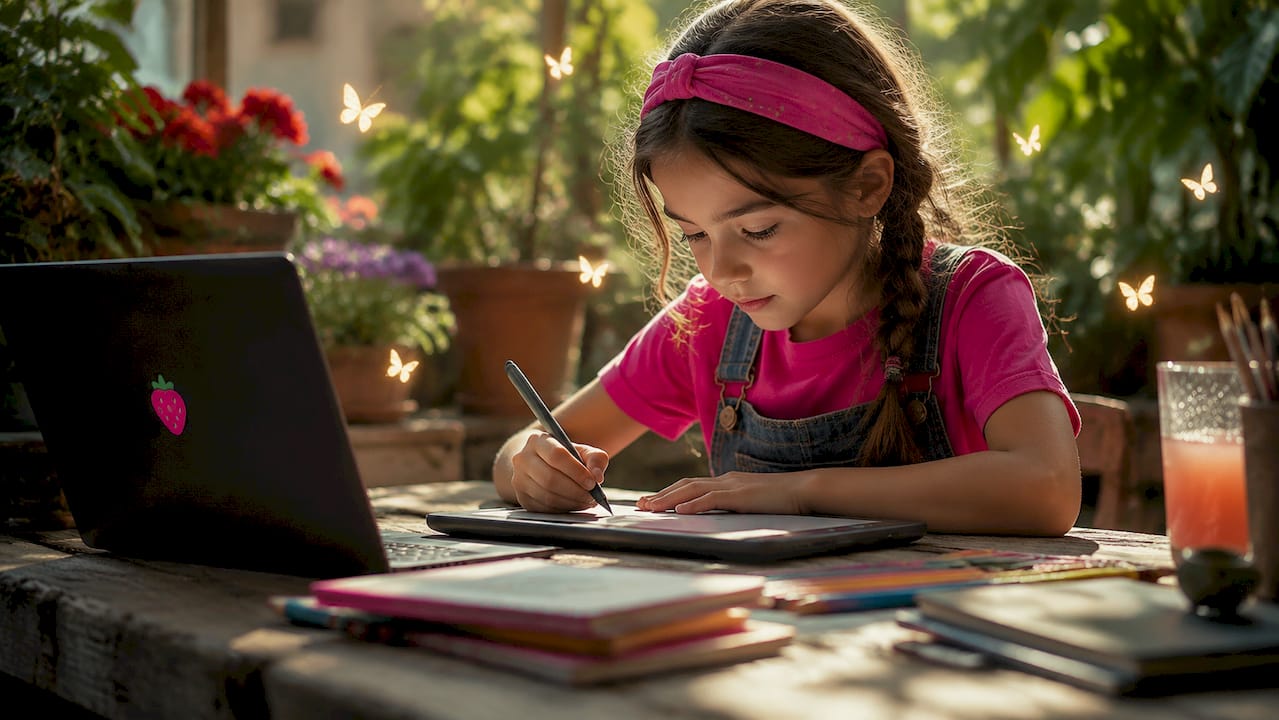
The term “animate still photo AI” is the popular search phrase, but the recognised industry term is image-to-video generation. Both describe the same output. Knowing the technical term helps when you are reading documentation, comparing platforms, or looking for advanced settings inside a tool.
What do you need before you start animating photos?
Getting good results starts before you upload anything. The quality of your source image is the single biggest factor in the quality of your animation.
Image quality and format
High-resolution, clearly composed photos without excessive blur produce the best motion effects and fewest visual artefacts. A blurry or heavily compressed image gives the model ambiguous information, and the output reflects that. Aim for at least 1080p resolution, a clear subject, and consistent lighting across the frame.
Supported formats across most AI photo animators include:
- JPEG and JPG — the most universally accepted formats
- PNG — preferred for images with transparent backgrounds or digital art
- WEBP — accepted by most browser-based tools
- File size — most platforms cap uploads at 10–20 MB; check your chosen tool before uploading
Platform types and pricing
AI photo animation tools fall into two broad categories. Browser-based platforms require no installation and work on any device with a decent internet connection. Mobile-first apps are built for quick edits and direct social sharing. Squish sits in the mobile-first, browser-accessible category, designed for creators who want fast results without editing skills.
Pricing follows a consistent pattern across the category. Most tools offer a free-to-start model with limited free edits per week, then a subscription for unlimited generations. Squish is free to start, which means you can test the output quality before committing to anything.
Pro Tip: Use multimodal prompting for noticeably better results. Combining your reference image with a short text description and a motion instruction, such as “hair blowing gently in wind, slow drift left,” gives the model three layers of context. Multimodal prompting improves temporal consistency and visual fidelity compared to uploading an image with no guidance at all.
How to animate a still photo using AI: step by step
The workflow is the same across virtually every AI photo animator. Master it once and you can apply it anywhere.
-
Select your image. Choose a high-resolution photo with a clear subject and even lighting. Portraits, pets, fantasy characters, and travel shots all work well. Avoid images with heavy motion blur or cluttered backgrounds.
-
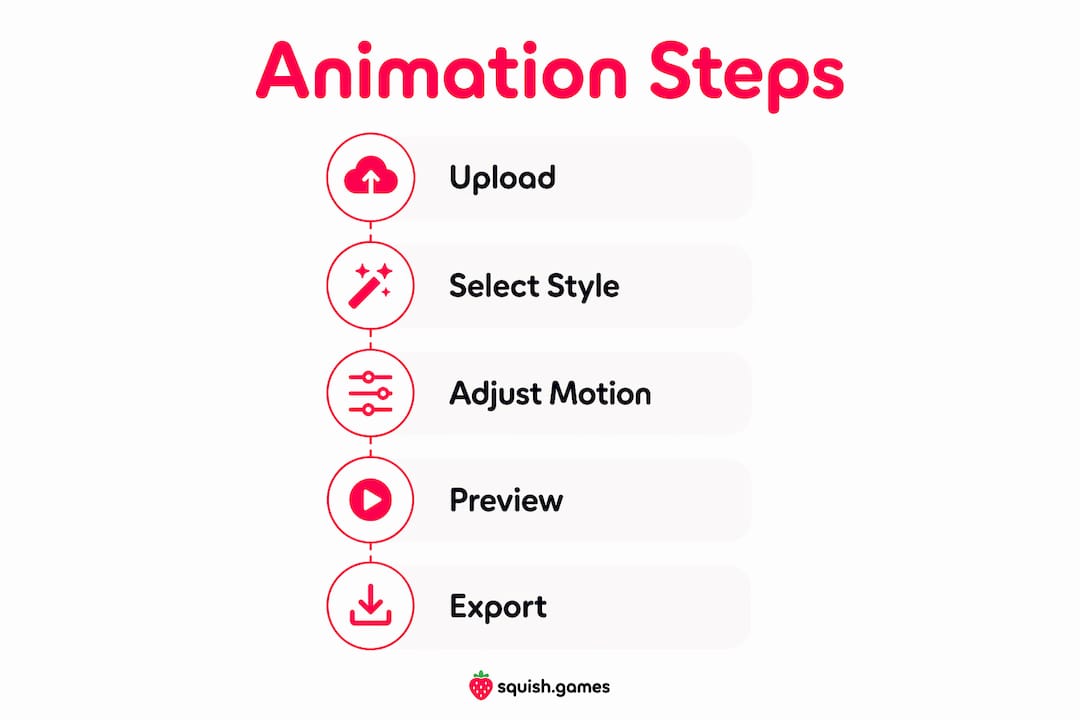
Upload to your chosen platform. On Squish, you tap the upload button, select your image from your camera roll or file library, and the platform processes it immediately. Most tools accept drag-and-drop on desktop.
-
Choose a motion style or animation preset. Platforms typically offer presets such as “gentle sway,” “hair flow,” “dancing,” “bounce,” or “cinematic drift.” These presets tell the model which parts of the image to prioritise for movement. For a wedding portrait, a subtle hair and veil movement reads as natural. For a fantasy character, a more dramatic full-body motion can work brilliantly.
-
Add a text or motion prompt. This is where multimodal prompting pays off. Type a short, specific instruction: “eyes blinking slowly, soft smile, light breeze moving hair.” Avoid vague prompts like “make it move” because the model has nothing specific to work with.
-
Generate and preview. AI animation typically generates a 5–10 second clip in 30–90 seconds. Watch the preview carefully. Check for unnatural warping around the edges of the subject, flickering in the background, or motion that contradicts the lighting direction in the original photo.
-
Regenerate or refine. If the first output has artefacts, regenerate with a slightly adjusted prompt. Most tools allow two or three free regenerations. Changing one element of your prompt, such as reducing the intensity of the motion, often resolves glitches without a full restart.
-
Download and share. Export as MP4 for maximum compatibility. Most platforms output at 1080p, which is the standard for Instagram Reels and TikTok. Squish lets you share directly from the platform or download the clip to your device.
Pro Tip: For the most natural-looking results, keep motion subtle on the first attempt. A gentle hair movement or a slow eye blink is far more convincing than a full-body dance on a portrait. You can always increase intensity on the next generation once you know the model handles your image well.
Common mistakes and how to fix them
Most problems with AI photo animation trace back to a small set of avoidable errors.
- Using a low-resolution or blurry source image. The model cannot invent detail that is not there. A blurry face produces a blurry, artefact-heavy animation. Always start with the sharpest version of your photo.
- Writing overly complex motion prompts. Asking for five simultaneous movements in one prompt confuses the model. Break complex scenes into one or two clear instructions per generation.
- Ignoring lighting inconsistencies. If your photo has harsh directional shadows, the model may animate the shadow incorrectly, creating an uncanny effect. Evenly lit photos animate more cleanly.
- Skipping the preview step. Downloading without previewing wastes time. Watch the full clip before exporting.
- Uploading the wrong file format. Some platforms reject HEIC files from iPhones. Convert to JPEG or PNG before uploading.
“Image selection critically impacts AI animation quality. High-resolution, clearly composed photos without excessive blur produce the best motion effects without visual artefacts. Poor source images often produce flickering, warping, or incoherent motion that no amount of prompt refinement can fully correct.”
When a generation looks wrong, switch the motion style preset before changing the prompt. A preset mismatch is often the cause of unnatural results, particularly when the model applies a “full-body” motion style to a close-up portrait. Matching the preset to the framing of your photo resolves the majority of quality issues without any additional effort.
How does AI animation improve social media engagement?
Animated images consistently outperform static ones on social platforms. Creative agencies report a 40% increase in user engagement on Instagram Reels when using AI-animated content versus traditional still images. That is a significant performance gap for the same underlying photo asset.
The reasons are straightforward. Motion captures attention in a feed full of static thumbnails. A gently animated travel portrait or a bouncing pet photo stops the scroll in a way that a flat image cannot. AI-powered motion effects can also synchronise with music beats, which adds another layer of storytelling to social videos and makes them feel produced rather than casual.
The use cases for AI photo animation span a wide range of creative contexts:
- AI travel photo animation — turning archival holiday shots into cinematic destination reels without returning to the location
- AI wedding photo animation — adding subtle motion to ceremony portraits for anniversary keepsake videos
- Event and portrait photography — bringing studio shots to life for client delivery or social portfolios
- Fantasy and avatar art — animating AI-generated characters, digital avatars, and original illustrations
- Pets and everyday moments — creating playful, shareable clips from ordinary phone photos
Travel creators use AI image-to-video generation to fill content gaps by turning existing photo libraries into professional reels, avoiding the cost and complexity of additional location filming. The same logic applies to wedding photographers who want to offer animated keepsake videos without investing in video production equipment. AI animation makes the photo library you already have significantly more valuable.
The trajectory of AI entertainment content points toward even tighter integration between still photography and short-form video. Audio-reactive animations, style-transfer effects, and real-time generation on mobile devices are all moving from experimental to standard. Creators who build the habit of animating their photos now will have a clear advantage as these tools become the default expectation on platforms like TikTok and Instagram.
Key takeaways
AI photo animation produces the strongest results when you combine a high-resolution source image with specific multimodal prompts and match the motion preset to the framing of your photo.
| Point | Details |
|---|---|
| Image quality is the foundation | High-resolution, clearly composed photos produce cleaner animations with fewer artefacts. |
| Multimodal prompting improves output | Combining your image with a text description and a motion instruction gives the model better context. |
| Generation is fast | Most AI photo animators produce a 5–10 second clip in 30–90 seconds, often for free. |
| Subtle motion reads as natural | Start with gentle effects such as hair movement or eye blinks before attempting full-body animation. |
| Animated content drives engagement | AI-animated posts achieve a 40% engagement uplift on Instagram Reels versus static images. |
Why I think most creators are still underusing this
I have spent a fair amount of time watching photographers post stunning still images that get a fraction of the engagement they deserve. The photo is technically excellent. The composition is strong. But it sits flat in a feed that is increasingly built around motion.
The uncomfortable truth is that the gap between a great photo and a great social post is now a 45-second animation. That is not a creative compromise. The AI does not replace your eye for composition or your skill with light. It adds a dimension that the original capture could not include. I have seen a single travel portrait, animated with a subtle cloud drift and hair movement, outperform an entire album of static shots from the same trip.
The hesitation I hear most often is about authenticity. Creators worry that animating a photo makes it feel artificial. My experience is the opposite. A well-animated portrait feels more alive than a static one, not less real. The key is restraint. The best AI photo animation makes you look twice because you are not sure if it is a video or a photo. That ambiguity is the creative sweet spot.
The other thing worth saying is that this technology is genuinely accessible now. You do not need a powerful computer, a subscription to expensive software, or any video editing knowledge. Squish is free to start, works on mobile, and produces shareable clips in under a minute. The barrier is not technical. It is simply the habit of trying.
— Jason
Bring your photos to life with Squish
Squish is a free-to-start AI video and interactive art platform built for exactly this kind of creative work. You upload a photo, selfie, AI-generated character, pet, avatar, or original artwork, and Squish turns it into a short animated clip ready for social sharing.
Whether you want a playful bouncing effect, a dancing image, or a cinematic motion clip, Squish handles the generation without requiring any editing skills. The platform supports NSFW and adult creative content for consenting adults, alongside fantasy art, nude art, and creator-owned imagery. Explore the full AI video art portfolio guide to see what is possible, or head straight to the AI video maker to start animating your photos today.
FAQ
What is AI photo animation?
AI photo animation is the process of using machine learning to generate realistic motion from a single still image, producing a short video clip typically 5–10 seconds long.
How long does it take to animate a photo with AI?
Most AI photo animators complete a generation in 20–90 seconds. Detailed edits with refinements typically finish within two minutes end-to-end.
What image format works best for AI animation?
JPEG and PNG files at 1080p resolution or higher produce the cleanest results. Avoid heavily compressed or blurry images, as poor source quality leads to artefacts in the output.
Can I animate wedding or travel photos with AI?
AI wedding photo animation and AI travel photo animation are two of the most popular use cases. Both work well because portraits and landscape shots provide clear subjects and consistent lighting for the model to work with.
Does animated content perform better on social media?
Creative agencies report a 40% engagement increase on Instagram Reels when using AI-animated content versus static images, making animation a measurable advantage for social sharing.
Leave a Reply