

AI video creation without editing skills is the process of turning text prompts or photos into polished, publish-ready video clips using automated AI tools, with no timeline editing, no software downloads, and no technical experience required. Modern platforms handle scripting, visuals, captioning, and export automatically, producing 1080p videos in under five minutes. That speed matters because social media rewards consistency, and consistency requires removing every barrier between your idea and your post. Whether you want to animate a selfie, bring a fantasy character to life, or create a short dancing clip for TikTok, AI video generation in 2026 puts that power in your hands from day one.
What do you actually need for AI video creation without editing skills?
The barrier to entry is lower than most creators expect. All you need is a browser or a mobile app, a stable internet connection, and an idea. No professional camera, no editing suite, and no design background.
Hardware and connectivity
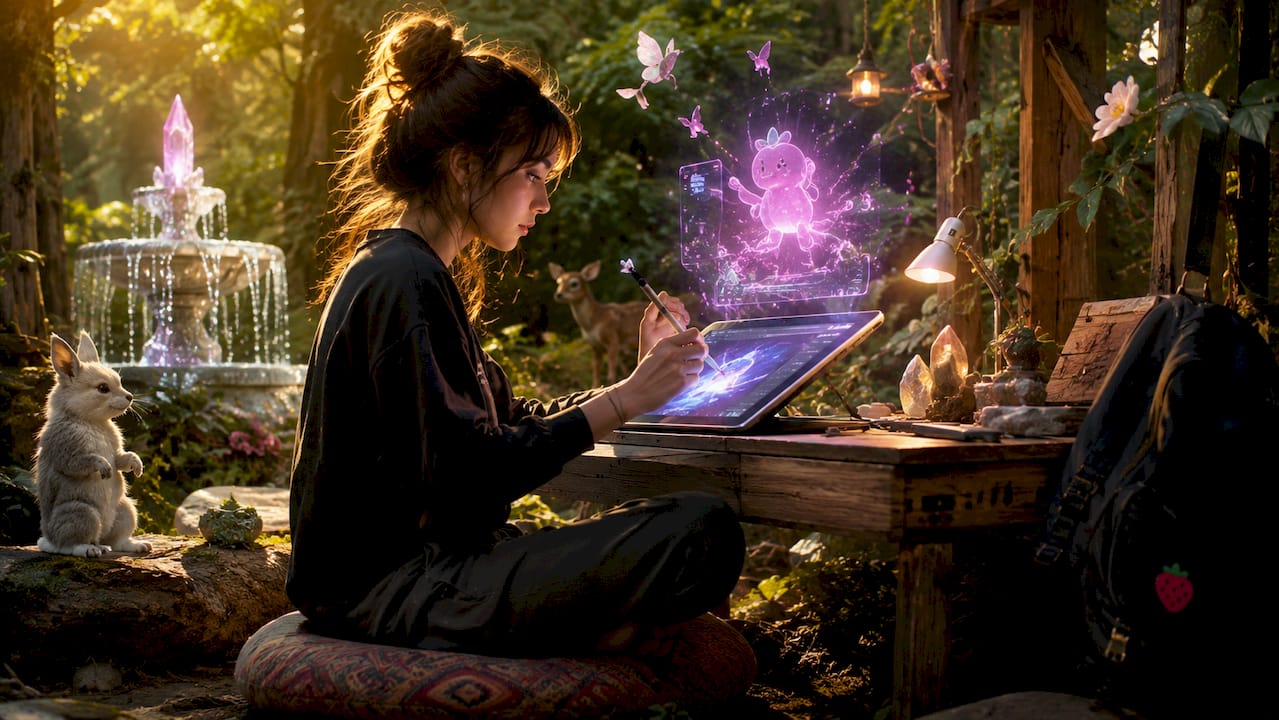
Any modern smartphone or laptop handles browser-based AI video platforms without difficulty. A reliable broadband connection matters more than processing power, because the AI computation happens on the platform’s servers, not your device. Mobile-first platforms like Squish are built specifically for this workflow.
Account types and credit models
Most platforms use a free-to-start model with optional paid tiers. Credit-based pricing means each video generation or style application consumes a set number of credits. Free accounts give you enough credits to experiment, but high-volume posting will require a paid plan. Understanding this before you start prevents surprise costs.
What you can use as input
AI video platforms accept several types of input:
- Text prompts: Describe a scene, character, or concept in plain language.
- Images and photos: Upload a selfie, AI-generated character, pet photo, avatar, or fantasy artwork.
- Scripts: Paste a written script and the AI generates matching visuals and voiceover.
- Existing AI art: Platforms like Squish specialise in animating AI-generated images into short, playful clips.
Output formats for social media
Multi-platform export covers the aspect ratios you need without any manual resizing. Standard outputs include 9:16 for TikTok and Instagram Reels, 16:9 for YouTube, and 1:1 for feed posts. Video clips typically run between 4 and 15 seconds, which aligns with the short-form content formats that drive the highest engagement on most platforms.
| Format | Aspect ratio | Best platform |
|---|---|---|
| Short vertical clip | 9:16 | TikTok, Instagram Reels |
| Horizontal clip | 16:9 | YouTube Shorts, LinkedIn |
| Square clip | 1:1 | Instagram feed, Facebook |
| Animated photo loop | Variable | All platforms |
How to create your first AI video step by step
The industry term for this workflow is generative video production. You act as a creative director, not an editor. The AI handles execution; you handle vision.
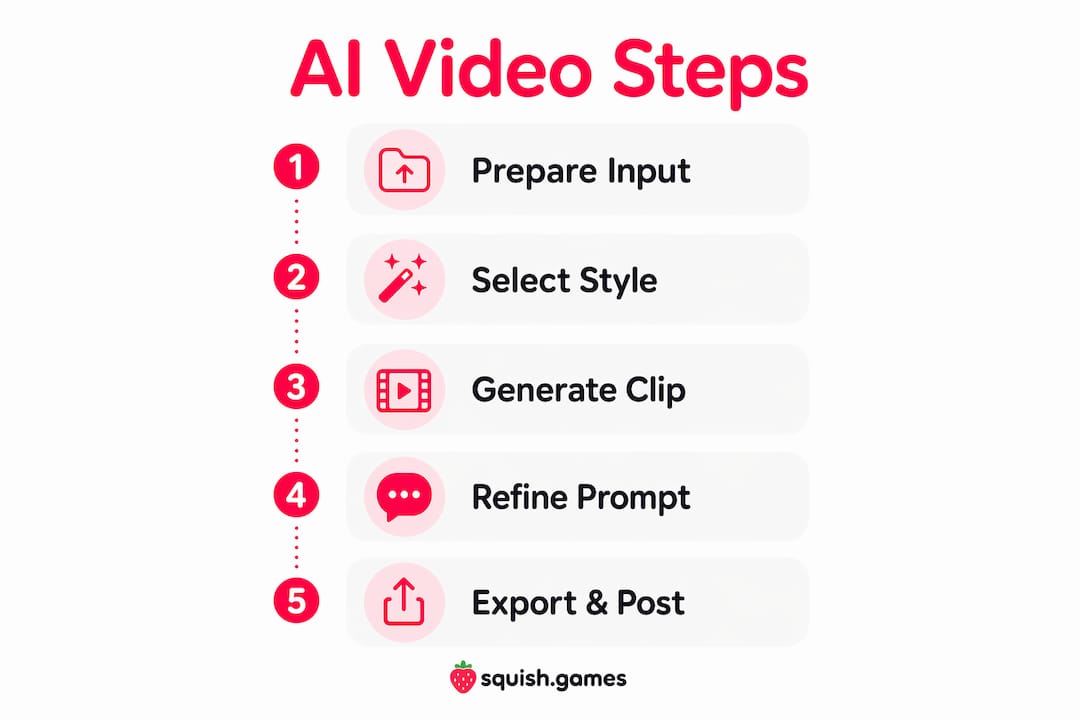
Step 1: Prepare your input
Write a prompt or select a photo before you open the platform. A strong prompt follows a four-part structure: specific duration, target audience, descriptive topic, and tone. For example: “A 10-second playful clip for young adults showing a cartoon cat dancing, upbeat and colourful.” Vague prompts produce generic results that require more rework and consume more credits. If you are uploading a photo, choose a clear, well-lit image with a defined subject.
Step 2: Select a style preset
Every reputable platform offers style presets or templates. These control colour palette, motion style, and visual consistency across your clips. Choosing a preset before generating saves significant iteration time. Preset styles maintain branding and give your content a professional, cohesive look without any design knowledge.
Step 3: Generate your clip
Submit your prompt or photo and let the AI run. Clip generation for a 4–15 second video typically completes within one to two minutes. Platforms like Squish specialise in photo-to-video effects, turning a single uploaded image into a bouncing, dancing, or jiggly animation ready for social sharing.
Step 4: Refine with prompts, not edits
If the first result is not quite right, adjust your prompt rather than attempting manual edits. This is the core shift in generative video production. Production hours drop by 80–90% when creators use iterative prompt refinement instead of manual timeline editing. Change one variable at a time: adjust the tone, swap the style preset, or clarify the subject description.
Step 5: Export and post
Once satisfied, export directly in your chosen aspect ratio. Most platforms produce MP4 files at 720p or 1080p. Download to your device and post without any further processing.
Pro Tip: Break longer ideas into multiple short clips of 4–15 seconds each. Segmenting your narrative produces higher visual stability and better coherence than attempting a single long generation.
Common challenges when you create videos without editing
Every beginner hits the same obstacles. Knowing them in advance saves time and credits.
Vague prompts are the biggest cause of poor results. Prompt quality directly affects output; creators who understand prompt structure get better first-try results and use fewer credits. The fix is simple: be specific about what you want to see, who it is for, and what feeling it should create.
Disjointed visuals happen when you try to generate too much at once. A 60-second narrative generated in one prompt will almost always feel incoherent. Break it into six 10-second clips instead. Each clip gets its own focused prompt, and the results stitch together far more naturally.
Credit overuse catches beginners off guard. Here is a practical rule:
Treat each generation like a print run. Refine your prompt on paper before you submit it, because every submission costs credits whether the result is good or not. One well-crafted prompt beats five rushed attempts every time.
Style inconsistency undermines your brand. If you switch presets between clips, your feed looks fragmented. Pick one style preset per project and apply it consistently. Character consistency features on platforms that offer them are worth prioritising for this reason.
Knowing when to regenerate versus when to accept. If a clip is 80% right, accept it. Chasing perfection through repeated regeneration burns credits and rarely produces a proportional improvement. Reserve full regeneration for clips where the subject or composition is fundamentally wrong.
- Adjust tone or mood: edit the prompt, regenerate once.
- Wrong subject entirely: start with a new prompt from scratch.
- Minor colour or style issue: switch the preset, regenerate once.
- Clip feels too slow or fast: specify pacing explicitly in the next prompt.
How does AI video creation boost your social media presence?
The most direct benefit is speed. Faster production means more frequent posting, and posting frequency is one of the strongest predictors of audience growth on short-form platforms. An easy video maker AI removes the bottleneck between creative ideas and published content.
Multi-platform export eliminates a hidden time cost that most creators underestimate. Manually resizing a video for TikTok, Instagram, and YouTube can take 20–30 minutes per clip. One-click multi-platform resizing removes that entirely, freeing you to focus on ideas rather than file management.
Consistent visual branding builds audience trust faster than sporadic high-quality posts. When every clip shares the same colour palette, motion style, and energy, followers recognise your content instantly in a crowded feed. Preset styles make this consistency achievable without a design team. Professional, brand-aligned videos perform measurably better on social platforms because they signal credibility.
AI-generated animations and photo effects add a layer of visual interest that static images cannot match. A photo of your pet, avatar, or AI character that bounces, dances, or reacts to music stops the scroll in a way a still image rarely does. Squish is built specifically for this use case, supporting selfies, AI art, fantasy characters, nude art, and adult content for creators who want expressive, eye-catching clips without any editing experience.
Pro Tip: Build an AI video art portfolio using your best clips. A curated portfolio signals professionalism to brand partners and new followers, even when every clip was generated without editing.
Key takeaways
AI video creation without editing skills works because generative AI automates the entire production pipeline, leaving creators to focus on prompts, style choices, and creative direction rather than technical execution.
| Point | Details |
|---|---|
| Prompt quality determines output | Use a four-part prompt covering duration, audience, topic, and tone for best first-try results. |
| Short clips outperform long ones | Generate clips of 4–15 seconds each to maximise visual stability and narrative coherence. |
| Preset styles protect your brand | Apply one consistent style preset per project to maintain a professional, recognisable look. |
| Credit models reward planning | Craft prompts carefully before submitting, as each generation consumes credits regardless of quality. |
| Multi-platform export saves time | One-click resizing for 9:16, 16:9, and 1:1 removes manual reformatting from your workflow entirely. |
What I have learned from directing AI video without touching a timeline
The conventional wisdom says AI video tools are a shortcut. I think that framing is wrong, and it sets beginners up for frustration.
The tools are not a shortcut. They are a different discipline. When I first started working with generative video platforms, I assumed the AI would fill in my vague ideas with something brilliant. It did not. It gave me exactly what I asked for, which was often mediocre, because my prompts were mediocre. The learning curve is not about editing. It is about communication.
Prompt engineering is creative collaboration. Once I started treating my prompts like a brief to a skilled but literal-minded colleague, my results improved dramatically. I stopped writing “a cool video of a cat” and started writing “a 10-second clip of an orange tabby cat bouncing playfully, pastel colour palette, upbeat and light-hearted, for a pet lifestyle audience.” The difference in output quality was immediate.
The other thing I would warn beginners about is the temptation to generate endlessly. Credit-based models punish this habit. The creators who get the most from these platforms are the ones who think before they click. Write your prompt. Read it back. Ask whether it is specific enough. Then submit.
The freedom these tools offer is real. You can animate photos, create dancing avatars, produce adult AI art clips, and build a social media presence without learning a single keyboard shortcut in a traditional editor. But the creative vision still has to come from you. AI amplifies what you bring to it. Bring something clear and specific, and the results will surprise you.
— Jason
Squish: bring your photos to life without editing
Squish is a free-to-start AI video and interactive art platform built for exactly this kind of creation. Upload a photo, AI image, avatar, pet, fantasy character, or adult content, and Squish turns it into a short, playful video clip with bouncing, dancing, or jiggly animation effects.
No editing skills, no software, and no technical knowledge required. Squish works in your browser and exports directly to the formats your social platforms need. For creators who want to go further, the image-to-video effects guide walks through the full range of animation options available on the platform. You can also browse the best AI photo effects to find the style that fits your content. Start free and see what your images can do.
FAQ
What is AI video creation without editing skills?
AI video creation without editing skills is the process of generating video clips from text prompts or photos using automated AI tools, with no manual timeline editing required. The AI handles scripting, visuals, captioning, and export automatically.
How long does it take to make an AI video with no experience?
Modern AI video platforms produce publish-ready short-form clips in under five minutes, including generation and export. Clip lengths typically run between 4 and 15 seconds.
Why do my AI videos look generic or low quality?
Generic results almost always come from vague prompts. Use a four-part prompt structure covering duration, audience, topic, and tone to get specific, usable output on the first attempt.
Can I use AI video tools for adult or NSFW content?
Platforms that support adult content, such as Squish, allow creators to upload consenting adult images and generate NSFW video clips, nude art animations, and adult-themed effects within their content policies.
Do I need to pay to create AI videos?
Most platforms offer free-to-start tiers with a credit allowance. High-volume production typically requires a paid plan, as each generation consumes credits regardless of the result.
Leave a Reply